Updated – 06/10/2026 – Microsoft has released the official AZ-802 training course. Check the seven learning paths and curated documentation in the Learning Path and Study Resources section.
Updated – 14/09/2026 – I passed the AZ-802 exam. I have updated this study guide with my first-hand experience, the question format, and the topics covered to help you prepare.
Updated – 23/07/2026 – I took the AZ-802 exam and documented my experience and takeaways in this section in case it helps others preparing for it. Good luck!
Updated – 15/07/2026 – I’m scheduled to take the AZ-802 beta exam next week. I will update this guide with my real exam experience, the question format, what I actually saw on the exam, and my final score once I complete it. Stay tuned!
Are you preparing for the new Exam AZ-802: Administering Windows Server? Microsoft has introduced this consolidated exam as part of its evolving role-based certification portfolio, replacing both AZ-800 and AZ-801 with a single, streamlined path to the Microsoft Certified: Windows Server Administrator Associate certification.
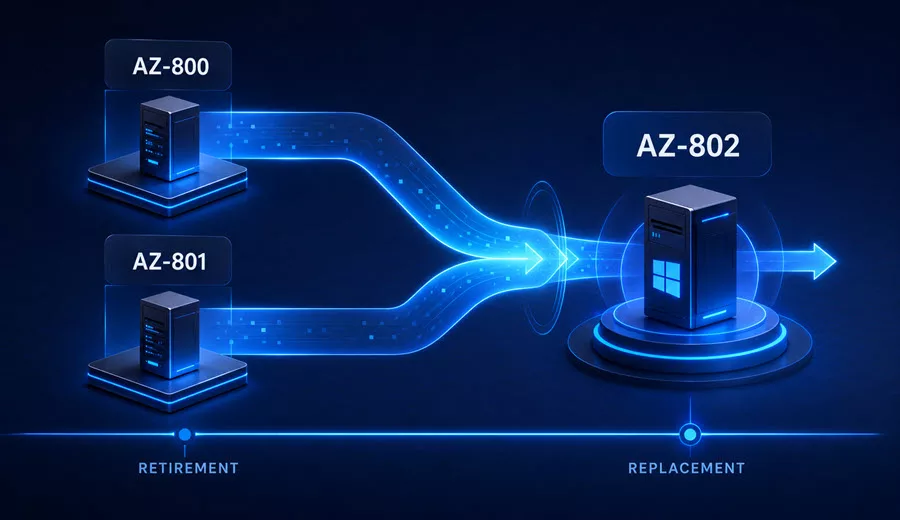
Microsoft has confirmed that Exam AZ-800: Administering Windows Server Hybrid Core Infrastructure and Exam AZ-801: Configuring Windows Server Hybrid Advanced Services will both retire on September 30, 2026. After that date, you will no longer be able to earn or renew the certification by passing these two exams.
In their place, Microsoft has introduced a single, consolidated exam: Exam AZ-802: Administering Windows Server. The exam entered beta in July 2026, and general availability is expected in August 2026.
Interestingly, the certification itself is not being retired. Microsoft is simply renaming the Microsoft Certified: Windows Server Hybrid Administrator Associate certification to the more accurate Microsoft Certified: Windows Server Administrator Associate, and refreshing the requirement to earn it down to one exam instead of two.
If you have been preparing for the AZ-800 or AZ-801 exams, the knowledge you’ve built remains highly relevant. You can review the previous study guides here:
• AZ-800 Study Guide: Administering Windows Server Hybrid Core Infrastructure
• AZ-801 Study Guide: Configuring Windows Server Hybrid Advanced Services
In this AZ-802 exam study guide, I cover everything you need to know to prepare for and pass the exam, including a full breakdown of the skills measured, curated Microsoft documentation organized by domain, practical exam scenarios, and my personal exam tips. I am scheduled to take the beta exam next week and will update this guide with my first-hand experience and takeaways as soon as I have them.
Table of Contents
Exam AZ-802 Overview
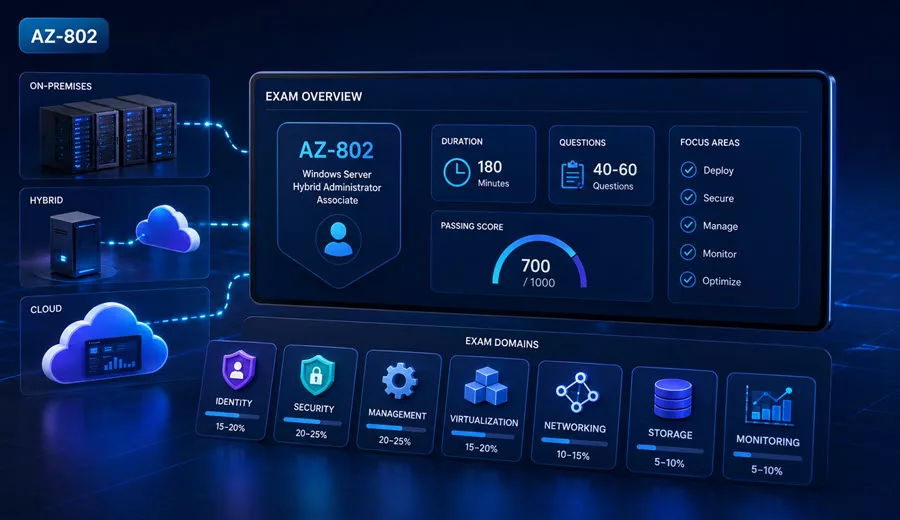
The official exam title is: AZ-802: Administering Windows Server. As a candidate for this certification, you’re responsible for deploying, implementing, managing, and troubleshooting Windows Server as a workload in on-premises, cloud, or hybrid environments.
You administer identity, security, management, compute, networking, storage, and monitoring for Windows Server. You typically collaborate with architects, administrators, and engineers.
The passing score is 700 out of 1000. The exam duration is 120 minutes, and at the time of writing, the exam is only available in English. If the exam is not available in your preferred language, you can request an additional 30 minutes to complete it.
At the time of writing, this exam is in beta, and there is currently no official Practice Assessment available. Microsoft notes that Practice Assessments are usually available within eight weeks after an exam is out of beta and generally available. There is also no dedicated Microsoft Learn training path available yet for this exam.
Please note that if you’re planning to take the beta exam, it is not scored immediately because Microsoft gathers data on the quality of the questions and the exam. Beta rescoring begins once the exam goes live, with final results released approximately 10 days later.
AZ-800/AZ-801 Retirement and AZ-802 Replacement
Microsoft has confirmed that the Microsoft Certified: Windows Server Hybrid Administrator Associate certification is not retiring. What is changing is how you earn it.
Effective September 2026, Exam AZ-800 and Exam AZ-801 will retire, and to earn the certification (now renamed Microsoft Certified: Windows Server Administrator Associate), you’ll need to pass a single exam: AZ-802: Administering Windows Server.
If you already hold the Windows Server Hybrid Administrator Associate certification, no additional action is required. Your certification will reflect the new name once AZ-802 goes live in September 2026. However, you may still choose to take AZ-802. Note that passing the new exam resets your certification’s expiration date to one year from the date you pass, rather than a year from your existing certification’s expiration date. When you renew, you will be assessed on the new skills added to this certification.
Key updates in AZ-802 compared to the legacy AZ-800/AZ-801 blueprint include:
- A unified exam covering both core infrastructure and advanced services in one sitting.
- Expanded hybrid management scenarios using Azure Arc, Azure Update Manager, and Azure Monitor.
- Updated security and protocol coverage, including OSConfig security baselines, SMB over QUIC, Microsoft Entra Password Protection, Windows LAPS, and GPU partitioning.
- A trimmed-down disaster recovery and migration scope compared to AZ-801 (Azure Site Recovery, Hyper-V Replica-based DR, and server/workload migration content are largely reduced or removed from the new blueprint).
If you are currently preparing for AZ-800 or AZ-801, or if you already hold the Windows Server Hybrid Administrator Associate certification, AZ-802 is the exam path you should start reviewing now.
Exam AZ-802 Target Audience
The AZ-802 exam is intended for Windows Server administrators who deploy, implement, manage, and troubleshoot Windows Server workloads across on-premises, cloud, and hybrid environments. This includes professionals who work with:
- Active Directory Domain Services (AD DS)
- Windows Admin Center
- Hyper-V
- PowerShell
- Azure Arc
- Azure Monitor
- Azure Update Manager
- Microsoft Defender for Cloud
- Azure Virtual Machines
- Azure Files and Azure File Sync
- DNS and DHCP

In this role, you administer identity, security, management, compute, networking, storage, and monitoring for Windows Server, and you typically collaborate with architects, administrators, and engineers.
You are a good candidate for this exam if you:
- Deploy and manage AD DS domain controllers, on-premises and in Azure.
- Manage Windows Server instances and workloads in a hybrid environment.
- Manage Hyper-V and Azure virtual machines.
- Implement and manage on-premises and hybrid networking infrastructure.
- Manage storage and file services, including Azure Files.
- Secure the Windows Server operating system and AD DS.
- Monitor and troubleshoot Windows Server environments.
Exam AZ-802 Prerequisites
There are no formal prerequisites listed for Exam AZ-802, but it is not a beginner exam; it assumes solid, hands-on Windows Server experience.
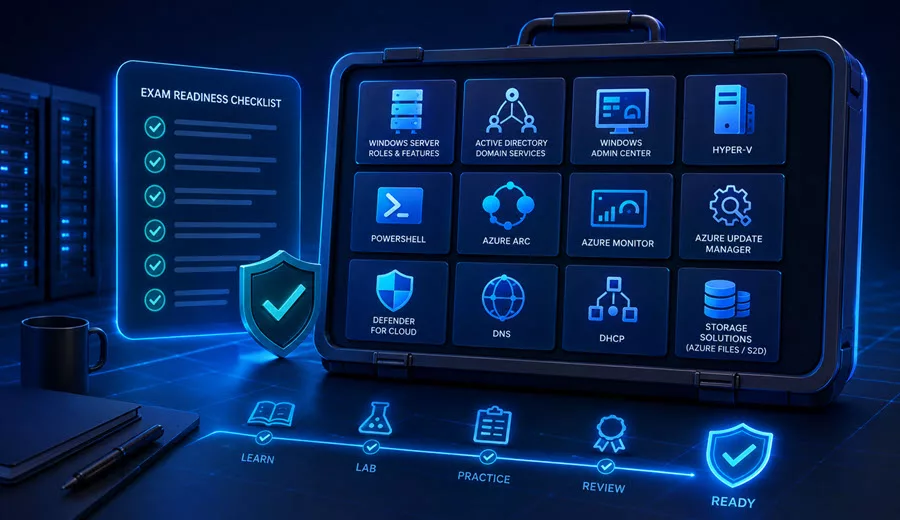
Before taking this exam, you should have practical experience with:
- Windows Server roles and features
- Active Directory Domain Services (AD DS)
- Windows Admin Center
- Hyper-V
- PowerShell (including PowerShell remoting and Just Enough Administration)
- Azure Arc
- Azure Monitor
- Azure Update Manager
- Microsoft Defender for Cloud
- DNS and DHCP
- Storage technologies (Storage Spaces Direct, Storage Replica, Azure Files)
You should also be familiar with Active Directory Domain Services (AD DS) concepts and terminology, even if your day-to-day role is more hybrid or cloud-focused.
Exam AZ-802 Preparation
How do you prepare for the AZ-802 exam?
Because this exam consolidates the content of both AZ-800 and AZ-801, your preparation should cover the full lifecycle of Windows Server administration: identity, compute, networking, storage, security, and monitoring, both on-premises and in Azure.
You should be comfortable answering questions such as:
- How do you deploy and manage domain controllers on-premises and in Azure?
- How do you troubleshoot FSMO roles and AD DS replication?
- How do you configure Group Policy and Group Policy preferences?
- How do you manage Windows Server hybrid workloads by using Azure Arc?
- How do you configure remote management with Windows Admin Center, PowerShell remoting, and JEA?
- How do you configure Hyper-V VMs, including GPU partitioning and Hyper-V Replica?
- How do you manage Azure Virtual Machines, including JIT access and Azure Bastion?
- How do you configure DNS and DHCP in on-premises and hybrid scenarios?
- How do you configure Azure Files, Azure File Sync, and Windows Server file shares?
- How do you configure Storage Spaces Direct, Storage Replica, and BitLocker?
- How do you harden Windows Server and AD DS, including OSConfig baselines, Windows LAPS, and Microsoft Entra Password Protection?
- How do you monitor and troubleshoot Windows Server by using Azure Monitor, VM Insights, and Windows Server tools?
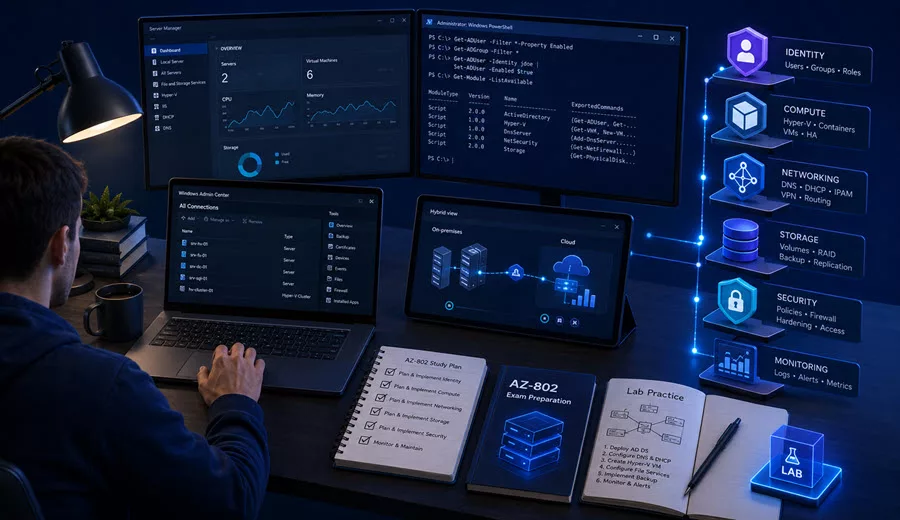
The exam objectives are detailed, so your preparation should be structured around the official skills measured.
Microsoft also notes that the bullets under each skill area illustrate how the skill is assessed, and related topics may also be covered on the exam. Most questions cover generally available (GA) features, but the exam may include questions on preview features if those features are commonly used.
Skills Measured on The AZ-802 Exam
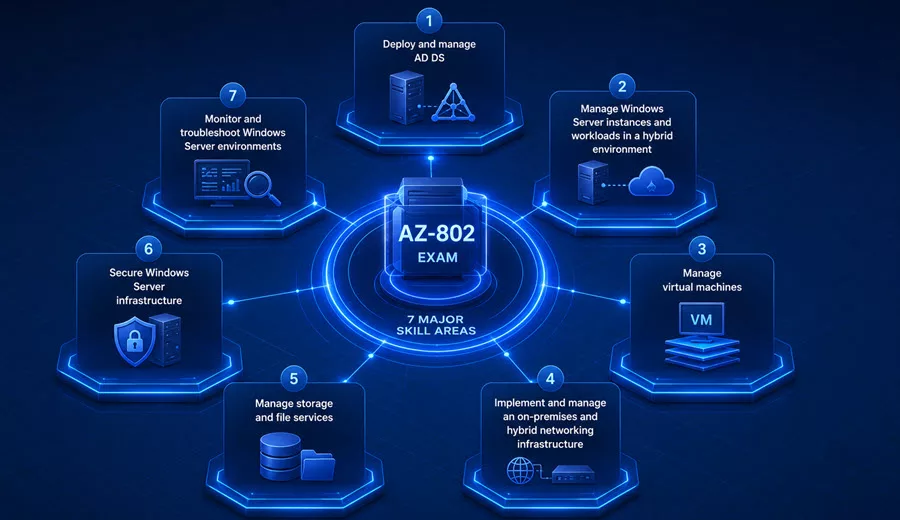
The AZ-802 exam measures seven main skill areas.
| Skill Area | Weight |
|---|---|
| Deploy and manage AD DS | 20–25% |
| Manage Windows Server instances and workloads in a hybrid environment | 10–15% |
| Manage virtual machines | 10–15% |
| Implement and manage an on-premises and hybrid networking infrastructure | 10–15% |
| Manage storage and file services | 15–20% |
| Secure Windows Server infrastructure | 10–15% |
| Monitor and troubleshoot Windows Server environments | 15–20% |
As you can see, the highest-weighted section is Deploy and manage AD DS, at 20–25%, followed closely by Manage storage and file services and Monitor and troubleshoot Windows Server environments at 15–20% each. Identity, storage, and monitoring together make up the bulk of the exam, so plan your study time accordingly.
Deploy and manage AD DS — 20–25%
This is the largest section of the exam and forms the foundation of Windows Server administration.
Deploy and manage AD DS domain controllers
You should know how to:
- Deploy and manage domain controllers locally
- Deploy and manage domain controllers in Azure
- Deploy Read-Only Domain Controllers (RODCs)
- Manage account security on a RODC
- Manage and troubleshoot Flexible Single-Master Operations (FSMO) roles
Configure and manage multi-site, multi-domain, and multi-forest environments
You should know how to:
- Configure domain and forest trust relationships
- Configure and manage AD DS sites
- Configure and manage AD DS replication
Create and manage AD DS security principals
You should know how to:
- Create and manage AD DS users and groups
- Manage users and groups in multi-domain or multi-forest environments
- Select and manage service accounts, including group-managed service accounts (gMSAs)
Manage Windows Server by using domain-based Group Policies
You should know how to:
- Implement Group Policy
- Implement Group Policy preferences
You should understand both the on-premises and Azure IaaS deployment models for domain controllers, how replication and FSMO roles work across sites and forests, and how to apply Group Policy consistently across your AD DS environment.
Manage Windows Server instances and workloads in a hybrid environment — 10–15%
This section focuses on remote management and hybrid management through Azure.
Configure remote management for Windows Server instances in a hybrid environment
You should know how to:
- Deploy and manage Windows Admin Center on-premises and in the Azure portal
- Configure remote management by using PowerShell, including double-hop and Just Enough Administration (JEA)
- Configure and manage remote Secure Shell (SSH) • Configure and manage remote desktop access
Manage Windows Server instances and workloads by using Azure services in a hybrid environment
You should know how to:
- Implement Azure Arc–enabled Windows Server instances
- Implement device configuration by using Azure Arc
- Deploy Azure services with virtual machine (VM) extensions on non–Azure machines
- Manage updates by using Azure Update Manager
- Create and run Azure Automation runbooks
Pay close attention to Azure Arc and Azure Update Manager here; these are expanded areas compared to the legacy AZ-800 blueprint, which used Azure Automation Update Management instead.
Manage virtual machines — 10–15%
This section covers both Hyper-V and Azure IaaS virtual machines.
Manage Hyper-V and guest VMs
You should know how to:
- Enable Enhanced Session Mode
- Manage VMs remotely by using PowerShell, PowerShell Direct, and SSH Direct for Linux guests
- Enable nested virtualization
- Configure VM memory settings
- Configure integration services
- Configure device assignment
- Configure GPU partitioning
- Manage VM checkpoints
- Implement high availability for Hyper-V VMs
- Manage Hyper-V virtual hard disks
- Configure Hyper-V network adapter
- Configure network interface card (NIC) teaming on the Hyper-V host and VM
- Configure Hyper-V Virtual Switch
- Configure Hyper-V Replica
Manage Windows Server VMs in Azure
You should know how to:
- Manage storage for Windows Server VMs in Azure
- Manage capacity, including resizing and VM scale sets
- Manage availability sets and zones
- Manage just-in-time (JIT) VM access and Azure Bastion
- Manage Azure Virtual Machines network configuration
GPU partitioning is a new addition here compared to the legacy AZ-800 blueprint, alongside JIT VM access and Azure Bastion, which move Hyper-V and Azure VM security guidance directly into the VM management domain.
Implement and manage an on-premises and hybrid networking infrastructure — 10–15%
Implement on-premises and hybrid name resolution
You should know how to:
- Integrate domain name system (DNS) with AD DS
- Create and manage DNS zones and records
- Configure DNS forwarding and conditional forwarding
- Configure DNS name resolution in a hybrid environment
- Implement DNS policies
- Implement DNS security extensions (DNSSEC)
Manage IP addressing in on-premises and hybrid scenarios
You should know how to:
- Implement and configure the Dynamic Host Configuration Protocol (DHCP) server role
- Troubleshoot IP addressing in hybrid environments
- Create and manage DHCP scopes
- Create IP reservations
- Implement high availability for DHCP
This section is more focused than the legacy AZ-800 networking domain; VPN, Virtual WAN, Remote Access, Web Application Proxy, and Microsoft Entra Application Proxy are no longer explicitly called out, so name resolution and IP addressing carry more relative weight.
Manage storage and file services — 15–20%
This is one of the two largest sections on the exam.
Configure and manage Azure Files
You should know how to:
- Create and manage Azure file shares
- Manage permissions for Azure file shares
- Configure and manage Azure File Sync
- Monitor Azure File Sync
- Migrate Distributed File System (DFS) to Azure File Sync
- Migrate from file shares to Azure Files
Configure and manage Windows Server file shares
You should know how to:
- Configure access to Windows Server file shares
- Configure File Server Resource Manager (FSRM)
- Implement and configure DFS
- Configure Server Message Block (SMB) over QUIC
- Configure SMB settings and management
Configure Windows Server storage
You should know how to:
- Configure disks and volumes
- Configure and manage Storage Spaces
- Implement and manage Storage Spaces Direct
- Configure and manage Storage Replica
- Configure Data Deduplication
- Configure SMB Direct (SMB over Remote Direct Memory Access [RDMA])
- Configure Storage QoS
- Select and configure file systems, including NTFS and ReFS
- Configure and manage iSCSI
- Manage BitLocker Drive Encryption
- Manage and recover encrypted volumes
SMB over QUIC is a new addition compared to AZ-800/AZ-801 and reflects modern secure file access scenarios over untrusted networks without a VPN.
Secure Windows Server infrastructure — 10–15%
Secure Windows Server operating system
You should know how to:
- Configure and manage exploit protection
- Configure and manage Application Control for Windows
- Configure and manage Credential Guard
- Configure Microsoft Defender SmartScreen
- Implement operating system security by using Group Policies
- Manage Windows Server security baseline by using OSConfig
- Implement Windows Local Administrator Password Solution (Windows LAPS)
- Configure and manage Defender for Servers
- Manage Windows Firewall, including connection security rules
Secure AD DS
You should know how to:
- Configure password policies
- Implement Microsoft Entra Password Protection for AD DS
- Manage protected users
- Harden domain controllers
- Restrict access to domain controllers
- Configure security options for user accounts
- Configure security options for built-in administrative groups
- Manage AD delegation
- Manage authentication protocols and methods for AD DS
OSConfig security baselines, Windows LAPS, and Microsoft Entra Password Protection for AD DS are all new to this blueprint and reflect Microsoft’s modern approach to Windows Server hardening. Microsoft Defender for Identity, which was part of AZ-801, is not explicitly listed in this section.
Monitor and troubleshoot Windows Server environments — 15–20%
This is the other largest section of the exam alongside storage.
Monitor by using Windows Server tools and Azure services
You should know how to:
- Monitor by using Performance Monitor
- Create and configure data collector sets
- Monitor servers and configure alerts by using Windows Admin Center
- Analyze by using the System Insights feature of Windows Server
- Manage event logs
- Configure data collection rules for Azure Monitor
- Create alerts
- Monitor Azure Virtual Machines performance by using VM Insights
Troubleshoot Windows Server issues
You should know how to troubleshoot:
- Connectivity issues
- Name resolution
- Windows Update
- Time service
- Performance issues
- VM and Azure Arc extension issues
- Disk encryption issues
- Storage issues
Troubleshoot Active Directory
You should know how to:
- Restore objects from the AD Recycle Bin
- Recover the AD database by using Directory Services Restore Mode
- Recover SYSVOL
- Troubleshoot AD replication
- Troubleshoot on-premises AD
- Troubleshoot Kerberos and authentication issues
- Troubleshoot secure channel and computer account trust issues
Windows Time service troubleshooting is a new, explicit addition compared to AZ-801, so don’t overlook it.
Exam AZ-802 Learning Path and Study Resources
Hands-on experience is essential when preparing for AZ-802, and Microsoft has now published the official AZ-802T00: Administer Windows Server training course. The course is rated Intermediate, runs five days in instructor-led format, and is also available as self-paced study through Microsoft Learn.
The AZ-802 course is organized into seven learning paths with 59 module entries in total, aligned to the seven exam domains. Some modules appear in more than one learning path, so this is not a count of unique modules. Use these paths as your primary structured training resource, alongside hands-on practice and the curated Microsoft documentation below.
If you prefer live, Microsoft Certified Trainer (MCT)-led training for AZ-802, contact me here so we can plan the dates.
Learning Path 1: Deploy and manage Active Directory Domain Services (8 modules)
• Deploy and manage Active Directory Domain Services domain controllers – plan domain controller topology, deployment, and migration.
• Deploy and manage Azure IaaS Active Directory domain controllers in Azure – extend on-premises AD DS or deploy a forest on Azure VMs.
• Manage AD DS domain controllers and FSMO roles – manage global catalogs, role placement, transfers, and role seizure.
• Create and manage Active Directory objects – administer users, groups, organizational units, and managed service accounts.
• Implement hybrid identity with Windows Server – integrate AD DS with Microsoft Entra ID and review synchronization and authentication options.
• Create and configure Group Policy Objects in Active Directory – configure GPOs and password policies.
• Implement Group Policy Objects – apply and manage GPOs in AD DS.
• Manage advanced features of AD DS – manage trusts, replication, and application partitions.
Learning Path 2: Manage Windows Server instances and workloads in a hybrid environment (11 modules)
• Administer and manage Windows Server IaaS Virtual Machines remotely – select administration tools and use Azure Bastion and just-in-time access.
• Describe Windows Server administration tools – use Windows Admin Center, Server Manager, RSAT, and PowerShell remoting.
• Just Enough Administration in Windows Server – configure constrained PowerShell endpoints and role capabilities.
• Perform Windows Server secure administration – apply least privilege, delegation, privileged access workstations, and jump servers.
• Use advanced Windows PowerShell remoting techniques – address limitations of basic remoting.
• Manage single and multiple computers by using Windows PowerShell remoting – administer remote computers through PowerShell sessions.
• Manage hybrid workloads with Azure Arc – onboard servers, manage extensions, and control access with RBAC.
• Manage Azure updates – manage updates for Azure VMs and Arc-enabled servers with Azure Update Manager.
• Automate the configuration of Windows Server IaaS Virtual Machines – use Desired State Configuration and custom script extensions.
• Enforce VM security configuration with Azure Machine Configuration – audit and enforce operating system settings on Azure and Arc-enabled servers.
• Explore Azure Automation with DevOps – use runbooks, webhooks, shared resources, and source control for hybrid automation.
Learning Path 3: Manage virtual machines (10 modules)
• Configure and manage Hyper-V virtual machines – configure VM generations, virtual disks, memory, processors, and guest clustering storage.
• Configure and manage Hyper-V – configure hosts, virtual switches, advanced networking, and nested virtualization.
• Secure Hyper-V workloads – understand Host Guardian Service, guarded fabric, and shielded VMs.
• Implement high availability of Windows Server VMs – compare clustering options and implement live and storage migration.
• Run containers on Windows Server – prepare container hosts, choose isolation modes, and manage container images and workloads.
• Plan and deploy Windows Server IaaS Virtual Machines – select Azure VM sizes and disks and deploy Windows Server VMs.
• Implement scale and high availability with Windows Server VM – configure scale sets, scaling, load balancing, and disaster recovery.
• Implement Windows Server IaaS VM IP addressing and routing – configure virtual networks, IP addresses, interfaces, and routes.
• Implement Windows Server IaaS VM network security – use NSGs, Azure Firewall, Windows Firewall, and Network Watcher.
• Administer and manage Windows Server IaaS Virtual Machine remotely – manage Azure VMs securely with remote administration tools.
Learning Path 4: Implement and manage an on-premises and hybrid networking infrastructure (6 modules)
• Implement Windows Server DNS – configure DNS zones, replication, zone transfers, and forwarding.
• Implement DNS for Windows Server IaaS VMs – configure Azure public and private DNS and hybrid name resolution.
• Secure Windows Server DNS – implement DNS policies, split-horizon DNS, and DNSSEC.
• Deploy and manage DHCP – configure scopes, options, reservations, authorization, and DHCP failover.
• Implement IP Address Management – centrally manage DNS, DHCP, and IP address resources with IPAM.
• Implement Windows Server IaaS VM IP addressing and routing – manage Azure virtual network addressing and routing.
Learning Path 5: Manage storage and file services (6 modules)
• Implement a hybrid file server infrastructure – deploy Azure Files and Azure File Sync, configure permissions, and manage cloud tiering.
• Manage Windows Server file servers – configure file systems, FSRM, SMB features, and Volume Shadow Copy Service.
• Implement Storage Spaces and Storage Spaces Direct – configure storage pools, resiliency, tiers, and clustered storage.
• Implement Windows Server Data Deduplication – select workloads and manage optimization, garbage collection, and scrubbing jobs.
• Implement Windows Server iSCSI – configure targets, initiators, and redundant storage connectivity.
• Implement Windows Server Storage Replica – plan synchronous or asynchronous replication and validate replication topology.
Learning Path 6: Secure Windows Server infrastructure (9 modules)
• Hardening Windows Server – apply security baselines, Windows LAPS, privileged access workstations, and domain controller hardening.
• Manage Microsoft Defender for Endpoint – protect devices and monitor threats.
• Manage Microsoft Defender in Windows client – implement built-in Windows security features through policies.
• Understand Active Directory Group Policy security settings – configure and audit security policies at scale.
• Manage security in Active Directory – apply least privilege, delegation, Protected Users, and credential protection.
• Understand Windows Server service accounts – select and configure local and managed service account types.
• Secure Windows Server user accounts – manage authentication policies, credential protection, and problematic accounts.
• Manage security controls for identity and access – secure identities, authentication, and authorization in Microsoft Entra ID.
• Security monitoring and governance – review Defender for Cloud, Azure Policy, Defender for Identity, and development security integrations.
Learning Path 7: Monitor and troubleshoot Windows Server environments (9 modules)
• Monitor Windows Server performance – use performance counters, data collector sets, Windows Admin Center, and System Insights.
• Manage and monitor Windows Server event logs – configure custom views and centralized event subscriptions.
• Implement Windows Server auditing and diagnostics – configure audit policies and diagnostic event collection.
• Monitor Windows Server IaaS Virtual Machines and hybrid instances – extend monitoring to Azure and on-premises servers.
• Monitor your Azure virtual machines with Azure Monitor – collect and analyze VM metrics and logs.
• Troubleshoot on-premises and hybrid networking – diagnose DHCP, DNS, routing, and connectivity issues.
• Troubleshoot Windows Server Virtual Machines in Azure – investigate provisioning, boot, extension, and remote access failures.
• Windows Server update management – review server update deployment and management workflows.
• Troubleshoot Active Directory – recover objects and the AD DS database, restore SYSVOL, and diagnose replication and authentication issues.
You can review the full AZ-802 instructor-led course outline here. Use the official Microsoft AZ-802 study guide as the authoritative reference for the skills measured. Training modules can cover broader topics and may include older implementation guidance, so cross-check the current documentation and exam objectives as you study.
AZ-802 Microsoft Documentation by Exam Domain
To complement the official learning paths, I also curated the following list of official Microsoft documentation, organized by exam domain, to help you study. Each link takes you directly to the relevant documentation page so you can explore configuration steps, implementation details, and troubleshooting guidance.
Deploy and manage AD DS
- Install Active Directory Domain Services
- Deploy AD DS in an Azure virtual network
- Read-Only Domain Controllers overview
- Active Directory FSMO roles in Windows
- Understanding Active Directory Site Topology
- Active Directory Replication Concepts
- Managing Users
- Managing Groups
- Group Managed Service Accounts overview
- Group Policy overview
- About Group Policy Preferences
Manage Windows Server instances and workloads in a hybrid environment
- Windows Admin Center overview
- Deploy a Windows Admin Center gateway in Azure
- PowerShell remoting
- Making the second hop in PowerShell Remoting
- Just Enough Administration
- Azure Arc-enabled servers overview
- Azure Machine Configuration overview
- Azure Update Manager overview
- Azure Automation runbook execution
Manage virtual machines
- Use local resources on a Hyper-V VM with Enhanced Session Mode
- Manage Windows VMs with PowerShell Direct
- Nested virtualization in Hyper-V
- Hyper-V Dynamic Memory overview
- Manage Hyper-V Integration Services
- Discrete Device Assignment overview
- GPU partitioning in Hyper-V
- Hyper-V VM checkpoints
- Set up Hyper-V Replica
- Hyper-V Virtual Switch overview
- NIC Teaming overview
- Attach a managed data disk to a Windows VM
- Change the size of a virtual machine
- Virtual machine scale sets overview
- Availability sets and zones overview
- Just-in-time (JIT) VM access
- Azure Bastion overview
Implement and manage an on-premises and hybrid networking infrastructure
- Active Directory-Integrated DNS zones
- Configure a DNS server to use forwarders
- Azure DNS private zones scenarios
- DNS policies overview
- Overview of DNSSEC
- Administering DHCP Server
- Managing DHCP Server scopes
- Understand and deploy DHCP failover
Manage storage and file services
- Azure Files overview
- Deploy Azure File Sync
- Monitor Azure File Sync
- Use DFS Namespaces with Azure Files
- File Server Resource Manager (FSRM) overview
- DFS Namespaces overview
- DFS Replication overview
- SMB over QUIC
- Manage disks
- Storage Spaces overview
- Storage Spaces Direct overview
- Storage Replica overview
- Data Deduplication overview
- SMB Direct
- Storage Quality of Service overview
- ReFS overview
- NTFS overview
- BitLocker overview and FAQ
Secure Windows Server infrastructure
- Enable exploit protection
- Windows Defender Application Control overview
- Manage Windows Defender Credential Guard
- Microsoft Defender SmartScreen overview
- Windows security baselines
- Azure OSConfig overview
- Windows Local Administrator Password Solution (Windows LAPS) overview
- Microsoft Defender for Servers overview
- Windows Firewall best practices
- Best practices for securing Active Directory
- Microsoft Entra Password Protection for on-premises AD DS
- Protected Accounts and Groups in Active Directory
- Securing Domain Controllers Against Attack
Monitor and troubleshoot Windows Server environments
- Windows Server performance troubleshooting
- Monitor servers and configure alerts with Azure Monitor from Windows Admin Center
- System Insights overview
- Data collection rules in Azure Monitor
- Create, view, and manage log alerts using Azure Monitor
- Overview of VM Insights
- Windows Server networking troubleshooting
- VM deployment and extension troubleshooting
- Troubleshoot Azure Virtual Machines boot errors
- Azure Disk Encryption for Windows VMs
- What’s New in AD DS: Active Directory Recycle Bin
- Directory Services Restore Mode
- Restoring and Rebuilding SYSVOL
- Troubleshooting Active Directory Replication Problems
- Windows Time Service overview
Because AZ-802 is a practical implementation exam, reading alone is not enough. You should get hands-on experience in Windows Admin Center, Hyper-V Manager, the Azure portal, and PowerShell, where possible.
You can also explore the exam environment by visiting the exam sandbox page.
AZ-802 Example Exam Scenarios
Scenario 1: Hardening Domain Controllers
Your organization wants to reduce the attack surface on domain controllers and protect privileged accounts.
Best approach:
- Restrict access to domain controllers.
- Manage protected users and built-in administrative groups.
- Configure Windows LAPS for local administrator password management.
- Implement Microsoft Entra Password Protection for AD DS.
- Apply Windows security baselines and OSConfig.
Scenario 2: Hybrid Server Management at Scale
You manage hundreds of on-premises and multicloud Windows Servers and need centralized visibility and patch compliance.
Best approach:
- Onboard servers to Azure Arc.
- Apply machine configuration/guest configuration policies.
- Manage patch compliance with Azure Update Manager.
- Create Azure Automation runbooks for repetitive tasks.
- Monitor with Azure Monitor and VM Insights.
Scenario 3: Secure Remote Administration
Administrators need secure remote access to Windows Server instances without exposing RDP directly to the internet.
Best approach:
- Use Windows Admin Center for browser-based management.
- Configure PowerShell remoting with JEA to limit scope of access.
- Use Azure Bastion and just-in-time VM access for Azure-hosted servers.
- Review Windows Firewall connection security rules.
Scenario 4: Highly Available File Services
Your organization needs resilient file storage across two datacenters with minimal data loss.
Best approach:
- Implement Storage Spaces Direct for local resiliency.
- Configure Storage Replica for synchronous or asynchronous replication.
- Use DFS Namespaces to provide a unified namespace.
- Consider migrating file shares to Azure Files with Azure File Sync for cloud tiering and multi-site caching.
Scenario 5: Modern Secure File Access
Remote users need to access an on-premises file share securely without a VPN.
Best approach:
- Configure SMB over QUIC on the file server.
- Ensure the appropriate certificate and firewall rules are in place.
- Review SMB settings and management options.
Scenario 6: Troubleshooting AD Replication
Users in a branch office report authentication failures, and you suspect a replication issue between domain controllers.
Best approach:
- Verify AD DS site links and replication schedules.
- Use built-in tools to troubleshoot AD replication problems.
- Check FSMO role health and connectivity.
- Verify that the Windows Time service is running, since Kerberos is time-sensitive.
Scenario 7: GPU Workloads on Hyper-V
You need to run a graphics-intensive workload inside a Hyper-V guest VM.
Best approach:
- Evaluate Discrete Device Assignment versus GPU partitioning based on the scenario.
- Configure the appropriate GPU option on the Hyper-V host.
- Validate integration services and enhanced session mode for the guest VM.
Schedule Exam AZ-802
Once you are ready, you can schedule Exam AZ-802 from the official Microsoft Learn certification page.
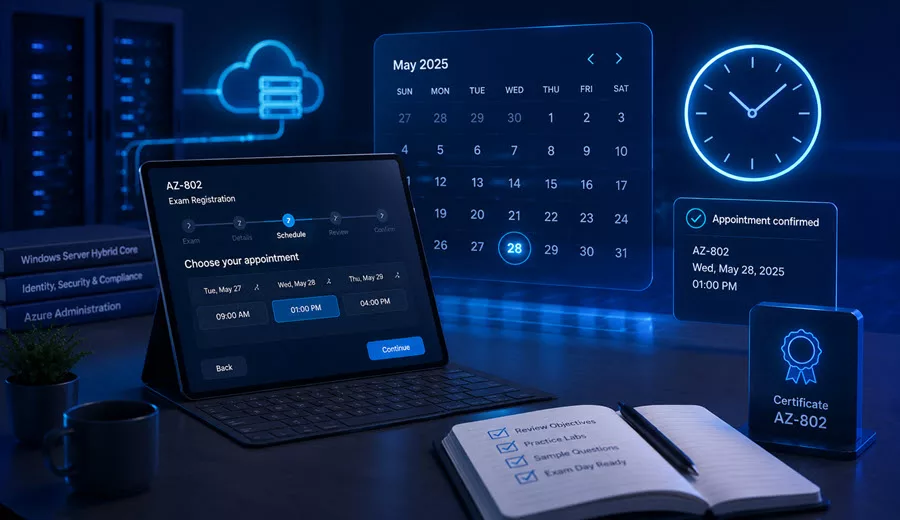
At the time of writing, Microsoft lists Exam AZ-802 as a beta exam, with general availability expected in August 2026. The official Microsoft Tech Community announcement states that the first 300 people who take Exam AZ-802 beta on or before July 22, 2026, can get 80% off by using the discount code AZ802Chandler, subject to availability and country restrictions. Please note that this discount is not available in Turkey, Pakistan, India, or China.
Before scheduling, make sure you:
- Read the official Microsoft study guide carefully; we already discussed it here.
- Review all seven skills measured.
- Get hands-on practice with Windows Admin Center, Hyper-V, PowerShell, and the Azure portal.
- Use the exam sandbox to understand the Microsoft exam experience.
- Confirm the latest exam availability, language, and pricing in your region.
I strongly recommend using a personal Microsoft account when registering for Microsoft certification exams. If you register with an organizational account, your exam records could be impacted if you leave the organization.
Please note that if you’re planning to take the beta exam, it is not scored immediately because Microsoft gathers data on the quality of the questions and the exam.
AZ-802 Exam Tips
Here are my recommendations to prepare for and pass the AZ-802 exam:
- Do not prepare using only the old AZ-800 or AZ-801 blueprints; the objectives have been consolidated and refreshed.
- Pay special attention to the new topics: Azure Arc, Azure Update Manager, OSConfig security baselines, Windows LAPS, Microsoft Entra Password Protection for AD DS, SMB over QUIC, and GPU partitioning.
- Get hands-on experience with AD DS domain controllers, both on-premises and in Azure.
- Review FSMO roles, AD DS replication, and Group Policy in depth.
- Understand Windows Admin Center, PowerShell remoting, JEA, and remote SSH access.
- Know when to use Discrete Device Assignment versus GPU partitioning in Hyper-V.
- Review Azure Virtual Machine management, including JIT access, Azure Bastion, availability sets/zones, and VM scale sets.
- Understand DNS and DHCP in both on-premises and hybrid scenarios, including DNSSEC and DNS policies.
- Review Azure Files, Azure File Sync, Storage Spaces Direct, Storage Replica, and BitLocker in detail.
- Know how to harden Windows Server and AD DS using modern tools (OSConfig, Windows LAPS, Entra Password Protection) rather than only legacy GPO-based hardening.
- Review Azure Monitor, data collection rules, VM Insights, and traditional Windows Server monitoring tools side by side.
- Practice AD DS disaster recovery scenarios: AD Recycle Bin, Directory Services Restore Mode, and SYSVOL recovery.
- Use the official skills measured as your final checklist.
The best exam mindset is: think as a Windows Server administrator who must deploy, secure, monitor, and troubleshoot workloads seamlessly across on-premises, hybrid, and Azure environments — and who reaches for modern tools like Azure Arc, Azure Update Manager, Windows LAPS, and OSConfig rather than legacy approaches alone.
AZ-802 Exam Experience & Takeaways
I took the AZ-802 exam on 23/07/2026, and here is my honest experience to help you prepare and pass this challenging exam.
I Passed the AZ-802 Exam
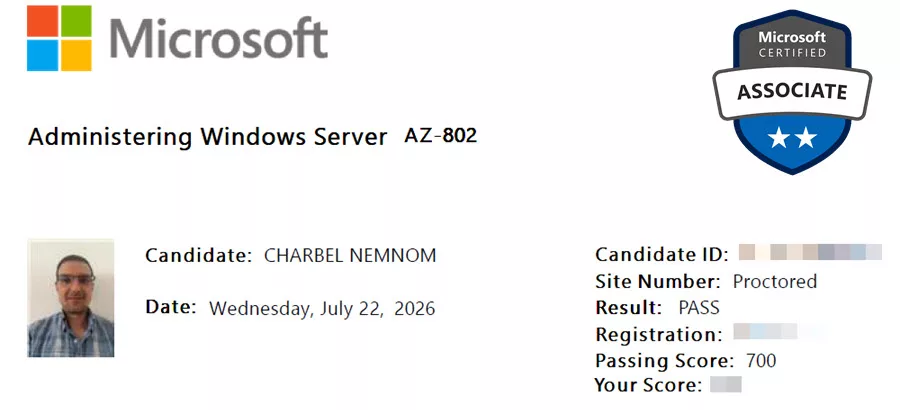
I am pleased to share that I passed the AZ-802: Administering Windows Server exam on July 22, 2026. Microsoft confirmed the result after the beta exam scoring process.
Exam Format and Structure
I received 63 questions with 120 minutes (2 hours) of actual exam time. I finished in about 115 minutes, which gives you roughly 2 minutes per question. The total appointment time shown is 150 minutes (2.5 hours), but this includes the NDA agreement, pre-exam survey, post-exam feedback, and survey — the actual exam clock is 120 minutes.
The question breakdown:
55 standalone questions, including 5 drag-and-drop questions and 11 True/False-type questions, plus 1 case study with 8 questions, bringing the total to 63 questions. At the time of this writing, there were no performance-based tasks (labs), but this might change in future versions of this exam.
The exam is long, difficult, and confusing. You need to read questions very carefully because they are tricky. Many questions are scenario-based with detailed context, and the answer choices are closely worded to test your real understanding.
The AZ-802 exam is open book. You have access to Microsoft Learn documentation during the exam, which you can use to double-check answers. However, be careful not to rely on it too much — with roughly 2 minutes per question, you do not have time to look up every answer. Use it as a safety net for specific commands or syntax, not as a replacement for preparation.
Microsoft has now confirmed that I passed the AZ-802 exam. I have kept the numerical score private, but the official result is shown above.
What I Actually Saw in the Exam
Here is what I encountered in the exam, along with official Microsoft documentation links for each topic so you can study further:
Active Directory Domain Services (Heavy Focus)
This was by far the dominant topic on the exam. Expect a large portion of your questions to cover AD DS: restoring domain controllers, troubleshooting AD replication, restoring deleted AD users from the Recycle Bin, and a lot of questions around Group Policy — including Group Policy Preferences to map a file share drive, Group Policy Modeling, and Group Policy Results. Also covered: creating AD groups with PowerShell, AD security with Read-Only Domain Controllers (RODCs), BitLocker recovery, configuring BitLocker with Group Policy, enabling Windows LAPS and updating the Windows Server Active Directory schema, and managing DNS records.
• Active Directory Forest Recovery Guide
• Troubleshooting Active Directory Replication Problems
• Active Directory Recycle Bin – Restore deleted objects
• Group Policy overview
• Group Policy Preferences – Map a drive with a file share
• Group Policy Modeling and Results
• Read-Only Domain Controllers (RODCs)
• BitLocker Group Policy settings
• BitLocker Recovery Guide
• Windows LAPS overview and AD schema update
• Manage DNS zones and records
Microsoft Entra Integration
Questions on eliminating bad passwords using Microsoft Entra Password Protection, enabling on-premises Microsoft Entra Password Protection for AD DS, and Microsoft Entra Connect Sync.
• Microsoft Entra Password Protection for on-premises AD DS
• Enable on-premises Microsoft Entra Password Protection
• Microsoft Entra Connect Sync overview
PowerShell (Heavy Focus)
A lot of questions required completing PowerShell command syntax — you are given an incomplete command and must select the correct parameters or cmdlet. Scenarios included PowerShell remoting and Invoke-Command targeting multiple servers simultaneously. Know your PowerShell cold; these are not conceptual questions.
• PowerShell remoting overview
• Invoke-Command
• Making the second hop in PowerShell Remoting
• Just Enough Administration (JEA)
Azure Virtual Machines and Monitoring
This was a well-represented Azure section. Questions covered managing Azure VMs with Windows Admin Center, enabling boot diagnostics to troubleshoot Azure VM startup failures, configuring the guest OS firewall via Azure Serial Console, Azure Virtual Networks, connecting with Azure Bastion, enabling VM Insights in Azure Monitor, Just-in-Time VM access through Microsoft Defender for Cloud, and enabling load balancing for Azure VMs within an availability zone.
• Manage Azure VM with Windows Admin Center
• Azure VM boot diagnostics
• Azure Serial Console for Windows
• Azure Bastion overview
• Azure Virtual Network overview
• VM Insights in Azure Monitor
• Just-in-Time VM access
• Azure Load Balancer overview
Azure Arc and Hybrid Automation
Questions on onboarding Azure Arc-enabled servers with the Azure Connected Machine agent, deploying the extension-based Windows User Hybrid Runbook Worker in Azure Automation for Arc-enabled servers, and applying Azure Policy to Azure Arc-enabled servers including Guest Configuration.
• Azure Arc-enabled servers overview
• Azure Connected Machine agent overview
• Extension-based Hybrid Runbook Worker installation
• Azure Policy Guest Configuration for Arc-enabled servers
Hyper-V
Questions on Hyper-V Dynamic Memory and configuring VLAN settings using Set-VMNetworkAdapterVlan on a Hyper-V VM with trunk mode and a specific native VLAN ID.
• Hyper-V Dynamic Memory overview
• Set-VMNetworkAdapterVlan
Storage and File Services
Questions on managing SMB Multichannel, enabling SMB Continuous Availability (CA), and configuring SMB over QUIC to access file shares securely without a VPN. A specific scenario involved setting a DNS Conditional Forwarder to the Azure DNS Wire IP address (168.63.129.16) for hybrid name resolution.
Also covered: migrating files to Azure with AzCopy and Azure File Sync, assigning share-level permissions for Azure file shares using the Storage File Data SMB Share Contributor role (which grants read, write, and delete access without modifying ACLs), and configuring Azure File Sync cloud tiering with the Date policy.
• SMB Multichannel overview
• SMB Continuous Availability (Transparent Failover)
• SMB over QUIC
• Azure DNS virtual IP address 168.63.129.16
• Migrate files to Azure with AzCopy
• Azure File Sync deployment guide
• Storage File Data SMB Share Contributor role
• Azure File Sync cloud tiering overview
Case Study: Azure Infrastructure and Hybrid Connectivity
The single case study contained 8 questions covering DHCP failover configuration, DNS configuration, Just-in-Time VM access, Azure Bastion, and Azure Virtual Desktop.
• DHCP Failover overview
• DNS overview
• Just-in-Time VM access
• Azure Bastion overview
• Azure Virtual Desktop overview
A Note on Azure Knowledge
If you already hold or have prepared for the AZ-104: Microsoft Azure Administrator certification, it will significantly help you tackle the Azure-focused questions in AZ-802. The Azure VM, networking, storage, and monitoring topics overlap heavily.
Key Takeaways for Exam Preparation
This is a deeply technical and practical exam that spans both Windows Server on-premises and Azure. Here are my key observations:
Active Directory dominates the exam. Expect at least 20–25% of your questions to be AD-related: replication, FSMO, RODC, Group Policy, Group Policy Preferences, Group Policy Modeling/Results, BitLocker with GPO, Windows LAPS, and restoring deleted objects. If you are weak here, study extensively.
PowerShell syntax is tested directly. You will be asked to complete PowerShell command syntax — including PowerShell remoting and Invoke-Command — not just conceptually understand it. Know the correct parameters and be able to identify incomplete or incorrect commands.
The exam is genuinely hybrid. AZ-802 truly spans both on-premises Windows Server and Azure. You need solid Azure knowledge: Azure Arc, Azure Monitor, Azure Bastion, JIT VM access, Azure File Sync, VM diagnostics, and Serial Console.
SMB knowledge goes deeper than expected. Be ready for questions on SMB Multichannel, SMB Continuous Availability, and SMB over QUIC — including specific configuration steps, not just awareness.
Azure Arc integration is specific and testable. Questions on the Azure Connected Machine agent, Hybrid Runbook Workers for Arc-enabled servers, and Azure Policy Guest Configuration were more specific than expected.
Azure Files and Azure File Sync are well represented. Know the Storage File Data SMB Share Contributor role, cloud tiering policies (including the Date policy), and how to migrate file shares using AzCopy.
Know the Azure DNS Wire IP address. 168.63.129.16 is the Azure DNS virtual IP. Know when and how to configure a DNS Conditional Forwarder pointing to it for hybrid name resolution scenarios.
AZ-104 experience pays off. If you hold or have prepared for the AZ-104: Microsoft Azure Administrator certification, the Azure-heavy portions of AZ-802 will feel familiar. If you do not, dedicate extra study time to Azure VM management, networking, and Azure Monitor.
The case study covers Azure connectivity essentials. DHCP failover, DNS configuration, JIT access, Azure Bastion, and Azure Virtual Desktop appeared in my case study.
My Verdict
The AZ-802 exam is long, challenging, and requires preparation across a genuinely broad range of topics — from classic Windows Server AD DS skills all the way to modern Azure hybrid management. It is harder than either AZ-800 or AZ-801 in isolation because it demands competency in both worlds simultaneously.
With 63 questions in 120 minutes, time management is critical. Scenario-based questions with detailed paragraphs can consume 3–4 minutes if you are not well prepared, while straightforward syntax questions can take under a minute. I finished with about 5 minutes remaining to review flagged questions.
My advice: do not underestimate the depth of the AD DS and Group Policy sections, and do not skip the Azure hybrid topics. The exam really does test both ends of the Windows Server administrator’s toolkit in equal measure.
If you already have strong Windows Server or AZ-104 experience, focus your additional study time on the AZ-802 additions: Azure Arc, Azure Update Manager, OSConfig baselines, Windows LAPS, SMB over QUIC, SMB Multichannel, and Azure File Sync cloud tiering. These are the areas most likely to catch experienced administrators off guard.
My final advice: read every question twice, know your PowerShell command syntax cold, and approach every scenario as an administrator who must choose the most efficient and correct solution across both on-premises and Azure.
Other Microsoft Certification Exams
Are you interested in another Microsoft certification exam? We highly recommend checking out the following certification paths:
- Exam AZ-800: Administering Windows Server Hybrid Core Infrastructure (retiring September 2026)
- Exam AZ-801: Configuring Windows Server Hybrid Advanced Services (retiring September 2026)
- Exam SC-500: Implementing End-to-End Security Controls for Cloud and AI Workloads
- Exam SC-900: Microsoft Security, Compliance, and Identity Fundamentals
- Exam SC-200: Microsoft Security Operations Analyst
- Exam SC-300: Microsoft Identity and Access Administrator
- Exam SC-100: Microsoft Cybersecurity Architect Expert
- Exam MS-102: Microsoft 365 Administrator
- Exam AZ-104: Microsoft Azure Administrator
- Exam AZ-305: Microsoft Azure Solutions Architect Expert
- Exam AZ-700: Microsoft Azure Network Engineer Associate
- Exam AI-102: Designing and Implementing a Microsoft Azure AI Solution
- Exam AI-901: Microsoft Azure AI Fundamentals
Conclusion
The new Exam AZ-802: Administering Windows Server is a major consolidation of Microsoft’s Windows Server certification path. With AZ-800 and AZ-801 retiring on September 30, 2026, Windows Server administrators should start shifting their preparation to this single, unified exam.
The Microsoft Certified: Windows Server Administrator Associate certification validated through AZ-802 covers your ability to deploy, implement, manage, and troubleshoot Windows Server across on-premises, cloud, and hybrid environments, including AD DS, hybrid management with Azure Arc, virtual machines, networking, storage and file services, security hardening, and monitoring and troubleshooting.
If you already have AZ-800 or AZ-801 experience, this is a natural next step and much of your existing knowledge will transfer directly. If you are new to Windows Server administration, start by building practical experience with AD DS, Hyper-V, Windows Admin Center, PowerShell, and Azure Arc before attempting the exam.
I took and passed the AZ-802 beta exam on July 22, 2026, and have shared my full exam experience and key preparation takeaways in this guide. Once you pass, let us know in the comments section below!
Good luck with your AZ-802: Administering Windows Server exam preparation!
Remember, you can always support us in developing tools and creating content via Why Contribute? – Charbelnemnom.com Cloud & Cybersecurity
__
Thank you for reading our blog.
Please let us know in the comments section below if you have any questions or feedback.
-Charbel Nemnom-
