
This article will show you how to resolve the VM failed to restore, the system could not find the file specified with error 0x80070002 in Hyper-V.
Table of Contents
Introduction
What a nice morning when you get a call from a customer @ 6 AM.
The Virtual Machine is not turning on, I sent you the screenshot!
Really! What do you do in this case? Be kind 
Error Message in PowerShell
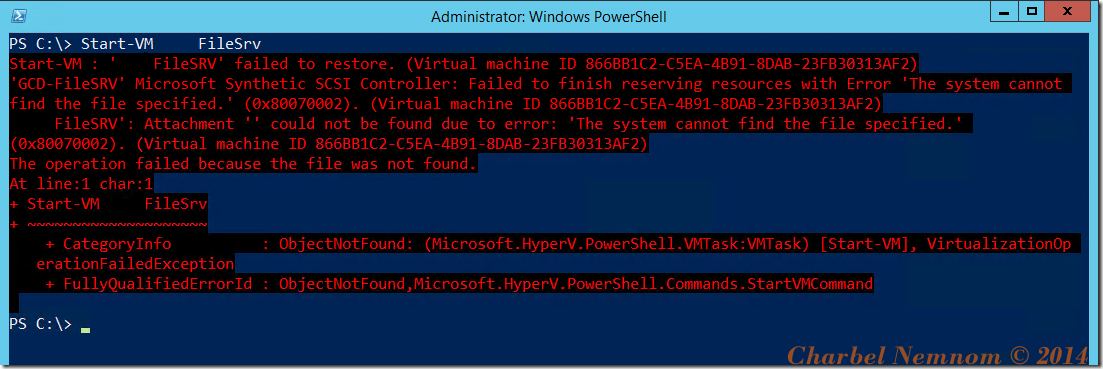
The Error in the UI

As you can see, the error is indicating that “Microsoft Synthetic SCSI Controller: Failed…”
So let’s query the SCSI controller for that Virtual Machine.
Get-VMHardDiskDrive –VMNAME <NAME> | ?{$_.ControllerType –eq 'SCSI'}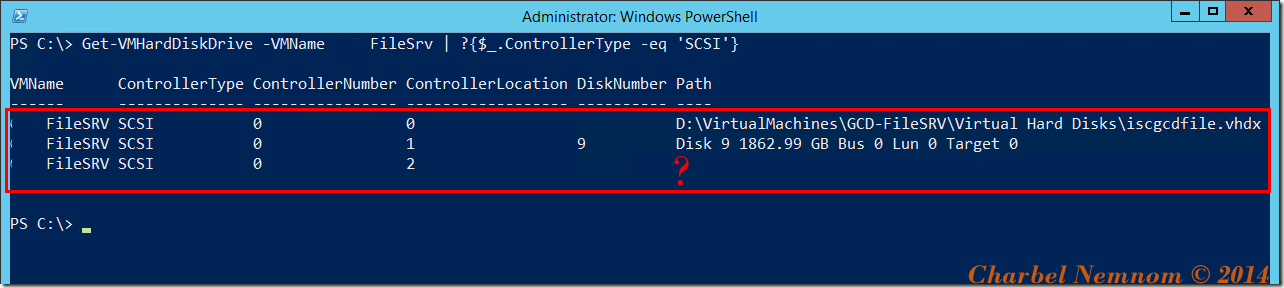
We have 3 disks attached to the SCSI controller.
Have you noticed something? The disk attached to Controller Location 2 is missing! The Path is empty.
However, the disk attached to Controller Location 1 is a pass-through disk using DiskNumber 9.
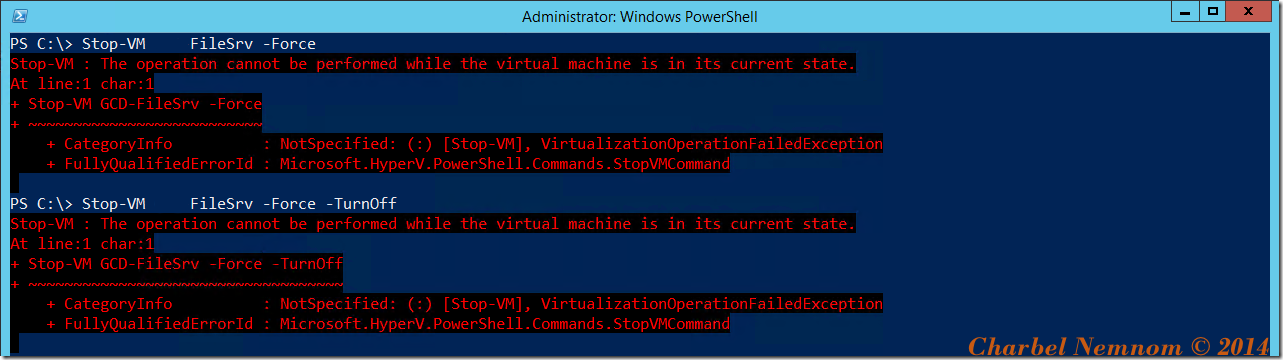
What is the status of the VM?

Can you Turn Off a VM in Saved State?
NO!
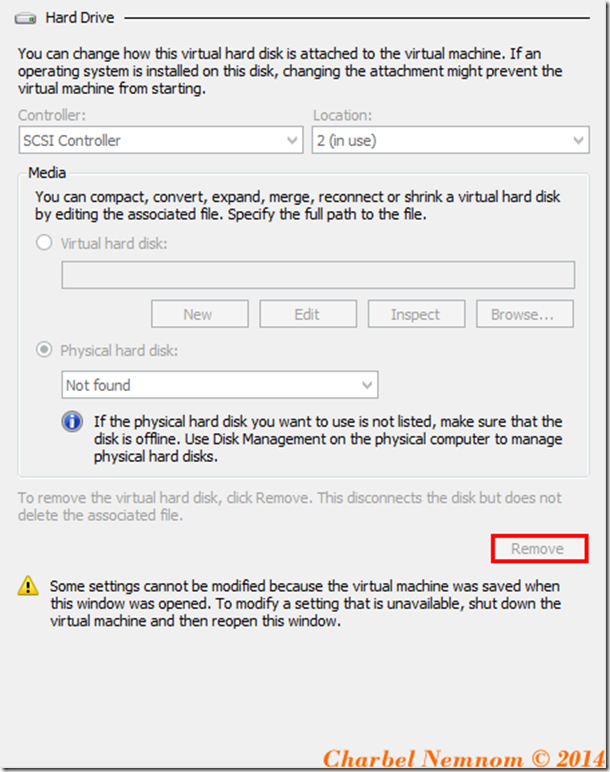
Can you remove the disk while the VM is in Saved State?
And NO!
Can you delete the Saved State of the VM?
YES
From the UI
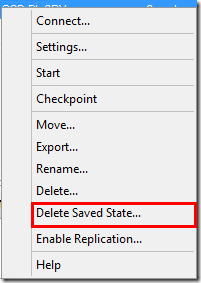
Using PowerShell
Get-VM | ?{$_.State -eq 'saved'} | Remove-VMSavedState
And here you go… The VM started

You might wonder why the disk failed and showing as “Not Found”?
The host rebooted, and then all VMs entered in Saved State when the host came back online, the VMs supposed to be turned on automatically, however, the pass-through disk that was attached to this VM failed, he was using an external USB disk.
In conclusion, Pass-through disks are not flexible, and don’t use them.
Hope this helps.
Make sure to check my recent Windows Server Hyper-V Cookbook for in-depth details about Hyper-V!
Enjoy your weekend!
__
Thank you for reading my blog.
If you have any questions or feedback, please leave a comment.
-Charbel Nemnom-

Hi Charbel,
Thanks for the article, quite helpful.
I am getting the same error, however for the first message says VM failed to start.
the SCSI Controllers are probably attached and there is no VM in saved state.
any ideas?
Hello Wissam, thanks for the comment!
Is there any SCSI disk(s) that you have initially attached to the VM is missing?
When you run the following command “
Get-VMHardDiskDrive –VMNAME | ?{$_.ControllerType –eq 'SCSI'}” what you get?All disk numbers must have a valid Path.