
Updated – 17/07/2026 – Microsoft is having issues awarding the SC-730 certification for beta testers. If you have seen your result on the Pearson site, it is NOT changing. If the result on the Pearson site shows that you passed, you passed. They are unable to award the certification at this time, so it will NOT show up in your Microsoft Learn profile either.
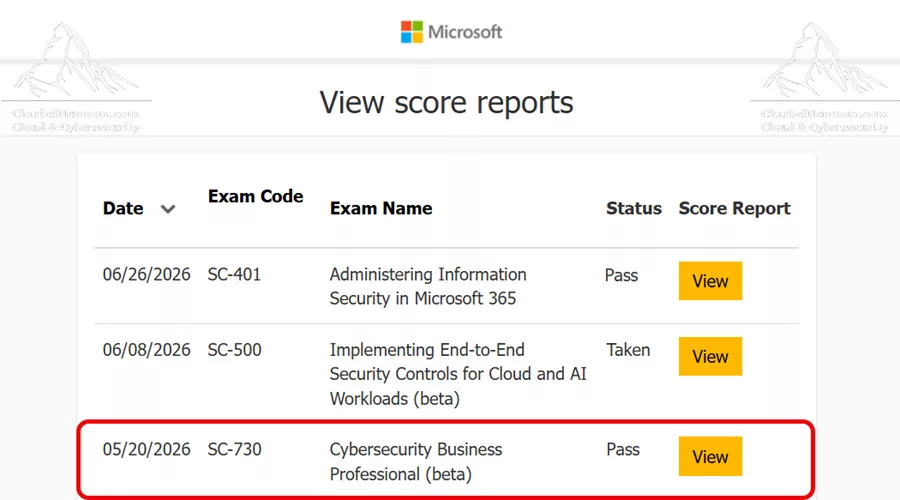
Updated – 26/06/2026 – Important: Following a review of the feedback that Microsoft received during the beta process, they will NOT proceed with the release of the SC-730 certification. They are exploring other alternatives to better support business professionals in this space. They will complete the beta scoring process as planned and communicate the result once scoring activities are finalized. This should be completed by July 17, 2026. If you pass the SC-730 beta exam, you will be awarded the certification. It will remain an active certification on your transcript for two years.
Microsoft has announced the new Microsoft Certified: Cybersecurity Business Professional certification, which is earned by passing Exam SC-730: Cybersecurity Business Professional. At the time of writing, the exam is available in beta, the passing score is 700, and the official Microsoft Practice Assessment is not yet available. Microsoft notes that Practice Assessments are usually available within eight weeks after an exam is out of beta and generally available.
Change is constant in the world of cybersecurity, AI, cloud collaboration, and modern work. Today, security is no longer only the responsibility of dedicated security teams. Every business user who handles sensitive data, communicates across networks, uses cloud services, or works with AI-powered tools plays an important role in protecting the organization.
This study guide will show you how to prepare for and pass Exam SC-730: Cybersecurity Business Professional to earn the Microsoft Certified: Cybersecurity Business Professional certification.
Table of Contents
Introduction
Microsoft continues to evolve its learning and certification programs to help professionals validate the skills required in today’s business and cybersecurity landscape. With the rapid adoption of cloud services, collaboration platforms, and AI-powered productivity tools, organizations need every employee to understand basic cybersecurity responsibilities.
In May 2026, Microsoft announced the new Microsoft Certified: Cybersecurity Business Professional certification. This certification is designed for business professionals who are not security specialists but who regularly use digital tools, handle sensitive information, and make day-to-day decisions that can affect organizational security.
This is an important certification because many real-world cyber incidents begin with everyday business activities: clicking a phishing link, sharing data with the wrong recipient, approving a suspicious payment request, using weak passwords, or uploading sensitive data into an unauthorized AI tool.
The SC-730 exam validates that you can recognize common cyberthreats, apply basic security practices, follow privacy and security policies, and respond appropriately when something suspicious happens.
Exam SC-730 Overview
The SC-730: Cybersecurity Business Professional exam validates foundational cybersecurity awareness and practical business-user security skills.
This exam is not designed for security administrators, security engineers, or cybersecurity architects. Instead, it focuses on the responsibilities of business professionals who use computers, mobile devices, cloud apps, collaboration tools, and connected systems in their daily work.
The candidates for this certification are business professionals who rely on digital tools but are not security professionals. They may work as administrative staff, analysts, project managers, marketers, sales professionals, or other business users. These professionals regularly handle sensitive data and interact across networks, which makes their applications and data a target for cyberthreats.
By earning this certification, you demonstrate that you understand how to:
- Recognize common threats such as phishing, malware, and social engineering.
- Apply basic protection practices such as strong passwords, multifactor authentication, and safe internet use.
- Follow privacy and security policies when handling sensitive data.
- Report suspected incidents promptly.
- Take appropriate steps during data breaches.
- Maintain awareness of evolving threats and security best practices.
SC-730 Exam Format
The SC-730 exam uses multiple-choice, scenario-based, ordering/sequencing, and sentence completion questions. Based on my exam experience, I received 58 questions with 60 minutes of actual exam time, which gives you roughly 1 minute per question. The total appointment time shown is 90 minutes, but this includes the NDA agreement, pre-exam survey, and post-exam feedback — the actual exam is 60 minutes. This means the exam is longer and faster-paced than you might expect, so manage your time carefully. The question types include:
- Best answer (single correct) — Choose the most appropriate response from four options.
- Scenario-based — A realistic workplace situation is described, and you must choose the correct action.
- Ordering/sequencing — Place 4 steps in the correct order (for example, incident response steps).
- Sentence completion — Complete a statement by selecting the correct word or phrase that makes the sentence accurate.
- Best practice identification — Select the correct procedure or policy application for a given situation.
The passing score is 700 out of 1000. The total appointment time is 90 minutes, but the actual exam time is 60 minutes. The exam is available in English and Japanese. If the exam is not available in your preferred language, you can request an additional 30 minutes to complete it. At the time of writing, the Practice Assessment for this exam is not yet available. Microsoft notes that Practice Assessments are usually available within eight weeks after an exam is out of beta and generally available.
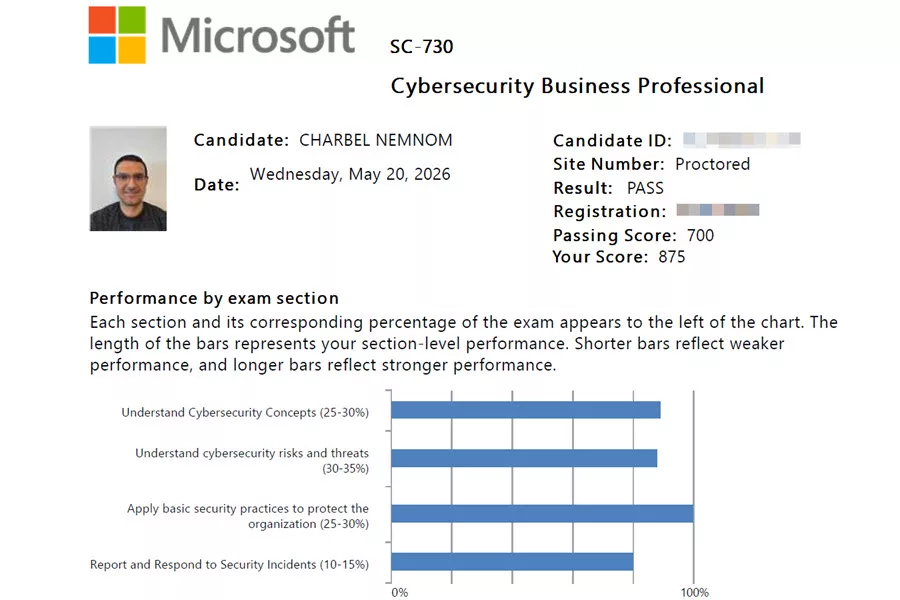
Please note that if you’re planning to take the beta exam, it is not scored immediately because Microsoft gathers data on the quality of the questions and the exam.
Exam Target Audience
The target audience for Exam SC-730 includes business professionals who use digital tools and connected systems to perform daily work. This includes:
- Administrative staff
- Business analysts
- Project managers
- Marketing professionals
- Sales professionals
- Operations users
- Finance users
- HR users
- Business users working with Microsoft 365 and cloud collaboration tools
You are a good candidate for this certification if you:
- Frequently use cloud services and collaboration platforms.
- Handle personal, business, customer, employee, or organizational data.
- Work with email, files, meetings, chat, and shared workspaces.
- Need to recognize phishing, malware, social engineering, and suspicious requests.
- Need to understand how to protect information while working remotely or online.
- Need to know when and how to report security incidents.
This exam is especially relevant for organizations that want to improve cybersecurity awareness beyond IT and security teams.
Exam SC-730 Prerequisites
There are no formal prerequisites listed for Exam SC-730. However, to benefit from this certification, you should have basic experience using modern workplace tools such as:
- Web browsers
- Mobile devices
- Collaboration platforms
- Cloud storage
- Business applications
- File sharing tools
- AI-powered productivity tools, where applicable
You do not need deep technical experience in Microsoft Defender, Microsoft Sentinel, Microsoft Entra, Microsoft Purview, or Microsoft 365 administration. However, you should understand how basic security and privacy concepts apply to daily business tasks.
If you have no cybersecurity background at all, you may also benefit from studying fundamental security concepts before taking this exam. Check out our SC-900 Exam Study Guide: Microsoft Security, Compliance, and Identity Fundamentals.
SC-730 Exam Preparation
How do you prepare for the SC-730 exam?
While preparing for this exam, focus on practical cybersecurity awareness and business-user decision-making. This is not an exam in which you need to configure advanced security policies or conduct technical investigations. Instead, you need to understand the correct action to take in common workplace security situations.
For example, you should be able to answer questions such as:
- Is this email suspicious?
- Should this file be shared externally?
- Should this information be entered into an AI tool?
- Should this incident be reported?
- What information should be included in a report?
- Should a payment request be verified before approval?
- What should you do if you receive an unexpected MFA prompt?
- What should you do if a device is lost or stolen?
The questions you will see in the exam match the list of skills and topics measured below, based on the latest Microsoft Learn study guide.
Skills Measured on The SC-730 Exam
This exam measures your ability to understand and apply the following cybersecurity topics.
| SC-730 Skills measured | Weight |
|---|---|
| Understand cybersecurity concepts | 25–30% |
| Understand cybersecurity risks and threats | 30–35% |
| Apply basic security practices to protect the organization | 25–30% |
| Report and respond to security incidents | 10–15% |
The largest section is Understand cybersecurity risks and threats, so you should spend extra time reviewing phishing, public Wi-Fi risks, social engineering, malware indicators, insider threats, suspicious emails, malicious links, unexpected attachments, and how to verify requests for access, payment, or sensitive data.
Understand Cybersecurity Concepts — 25–30%
In this section, you need to understand foundational cybersecurity concepts and their application to business users.
You should know how to explain roles and responsibilities in cybersecurity, including the shared responsibility model. In simple terms, cybersecurity is not only the responsibility of IT or security teams. The organization, IT department, cloud providers, and employees all have responsibilities.
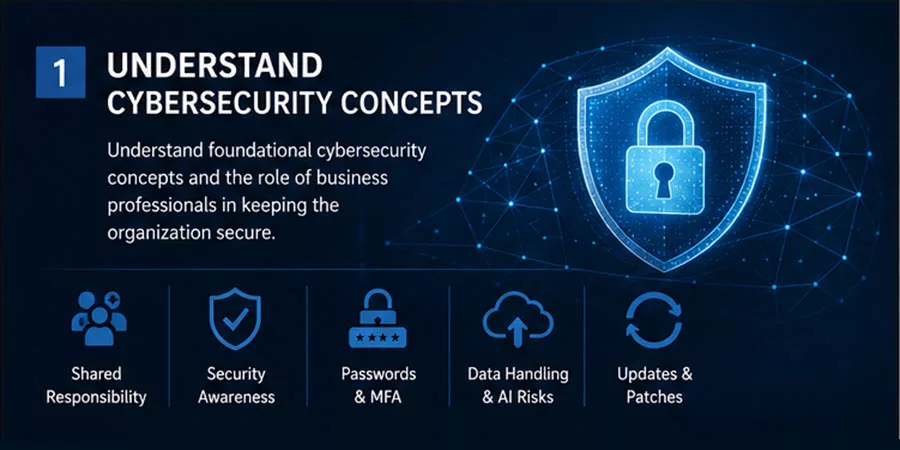
As a business user, your responsibilities include:
- Following security and privacy policies.
- Protecting your credentials.
- Using strong passwords.
- Using multifactor authentication.
- Handling sensitive data correctly.
- Reporting suspicious activity.
- Avoiding unsafe behavior online.
- Participating in security awareness initiatives.
You should also understand accountability practices. For example, using your own account, not sharing passwords, locking your device, and reporting mistakes quickly are all examples of accountable security behavior.
Organizations enforce accountability through:
- Access logs — Recording who accessed which files or systems and when.
- Audit trails — Tracking all changes to systems, configurations, and data.
- Approval workflows — Requiring manager authorization for sensitive actions such as deleting data, creating accounts, or granting elevated access.
- Incident documentation — Recording all details of security events, including who was involved, what happened, and what actions were taken.
For the exam, understand that accountability means using your own credentials, never sharing passwords, and taking responsibility for your actions within organizational systems.
You also need to understand basic data-handling standards, including what information should not be shared with unauthorized AI tools. The official study guide specifically calls out identifying types of data that should not be shared with AI tools.
Examples of information that should not be shared with unauthorized AI tools include:
- Customer personal data
- Employee records
- Payroll information
- Financial records
- Legal documents
- Passwords
- API keys
- Security incident details
- Confidential business strategy
- Regulated or proprietary data
AI-Specific Risks for Business Users
The exam includes questions about AI risks beyond just data sharing. You should also understand:
- Automation bias — The tendency to trust AI outputs because they sound authoritative and well-reasoned. If an AI tool suggests an action involving money, credentials, or sensitive data, verify it independently before acting.
- Data leaving your control — When you paste information into a public AI tool, that data may be retained by the provider, used to improve the model, or processed outside your organization’s security perimeter.
- Approved vs. unauthorized AI tools — Use only your organization’s managed AI tools (such as Microsoft 365 Copilot with your enterprise license) for work involving sensitive data. Do not use consumer-grade AI services for business data.
Exam tip: If a question asks whether data should be entered into an AI tool, the correct answer is almost always to follow organizational policy and use only approved tools. When in doubt, do not share.
You should also understand the benefits of using a password manager, multifactor authentication, software updates, and security patches. The core terms you need to know include:
| Term | Meaning |
|---|---|
| Threat | Something that could cause harm |
| Vulnerability | A weakness that could be exploited |
| Risk | The likelihood and impact of harm |
| Exploit | A method used to take advantage of a vulnerability |
| Encryption | A method used to protect data by making it unreadable without authorization |
| Deepfake | Synthetic or manipulated media used to impersonate or mislead |
Understand Cybersecurity Risks and Threats — 30–35%
This is the most important exam area because it has the highest weighting.
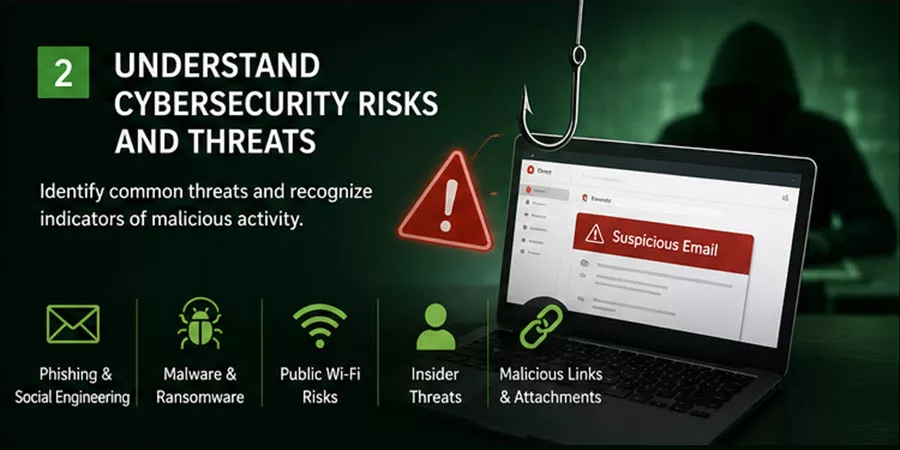
You need to identify common cybersecurity risks and recognize indicators of malicious activity. Microsoft lists public Wi-Fi risks, social engineering techniques such as phishing, pretexting, and baiting, indicators of malware, insider threat indicators, abnormal system behavior, suspicious emails, malicious links, unexpected attachments, and verification of access, payment, or sensitive data requests as key topics.
Focus on the following areas:
Public Wi-Fi Risks
Public Wi-Fi can expose users to risk because attackers may intercept traffic, create fake hotspots, or attempt to capture credentials.
You should understand that business users should avoid accessing sensitive systems on untrusted public networks unless they use approved secure methods, such as a company-approved VPN or a secure connection like Microsoft Entra Global Secure Access.
A VPN (Virtual Private Network) creates an encrypted tunnel between your device and a secure server. When connected to a VPN on public Wi-Fi, all your traffic is encrypted and unreadable to attackers on the same network. Even if an attacker intercepts your data, they see only encrypted content that they cannot decode.
For the exam, remember these key points about public Wi-Fi:
- Public Wi-Fi networks have no encryption by default — anyone nearby can potentially intercept traffic.
- Attackers may create fake hotspots (evil twins) with names that look like legitimate networks.
- Man-in-the-middle attacks allow an attacker to sit between you and the network, capturing everything you send.
- A VPN is the primary defense. Always use your organization’s approved VPN when working on public networks.
- If no VPN is available, avoid accessing sensitive systems, email, or entering credentials on public Wi-Fi.
Social Engineering
Social engineering is the use of psychological manipulation to trick people into taking unsafe actions. Common examples include:
- Phishing
- Spear phishing
- Pretexting
- Baiting
- Smishing
- Vishing
- Business email compromise
The safest response to suspicious communication is to slow down, verify the request through a trusted channel, and report it if needed.
Psychological Triggers Used in Social Engineering
Understanding why social engineering works helps you recognize it faster. Attackers exploit these psychological triggers:
| Trigger | How It Works | Example |
|---|---|---|
| Urgency | Time pressure makes people act without thinking | “Act NOW or your account will be locked” |
| Authority | People obey authority figures without questioning | Email from “CEO” requesting an urgent wire transfer |
| Fear | Threats trigger panic and irrational action | “We detected unauthorized access — verify your password immediately” |
| Greed | Promise of reward bypasses critical thinking | “You have won a prize — click here to claim it” |
| Curiosity | Intrigue makes people investigate unsafe items | USB stick labeled “Executive Salaries” left in a parking lot |
| Trust | If someone builds rapport, you may let your guard down | Attacker befriends you over weeks, then asks for system access |
Key exam insight: When you feel urgency, authority pressure, fear, or greed in a request, treat it as a red flag. Pause, verify independently through a trusted channel, and do not act on emotions.
Malware and Abnormal System Behavior
You should recognize possible malware indicators such as:
- Slow device performance
- Unexpected pop-ups
- Unknown applications
- Browser redirects
- Disabled security tools
- Missing or encrypted files
- Unexpected crashes
- Unusual account activity
If malware is suspected, the user should report it to IT or security and follow organizational procedures.
Suspicious Emails, Links, and Attachments
You should know how to identify common signs of suspicious emails:
- Urgent language
- Requests for passwords or MFA codes
- Unexpected attachments
- Unknown senders
- Spoofed domains
- Requests to bypass normal approval processes
- Payment or gift card requests
- Links that do not match the expected destination
A good rule is simple: do not click, do not reply with sensitive information, verify through a separate trusted channel, and report the message.
Business Processes Targeted by Threat Actors
You should understand which business processes are most frequently targeted by attackers:
- Payment processing — Invoices, purchase orders, and wire transfers are targeted for financial fraud and payment redirection.
- Executive communication — Attackers spoof CEO or CFO emails to request urgent payments or data (business email compromise).
- Vendor management — Compromised vendor accounts are used to send fake invoices or request payment changes.
- Hiring and onboarding — Applicant data and direct deposit setup are targeted for identity theft.
- Access approval workflows — Password reset requests and access grants are targeted for privilege escalation.
- Data export and reporting — Customer lists, pricing data, and production reports are targeted for competitive intelligence.
For the exam, remember that any business process involving money, sensitive data, or access decisions is a high-value target for attackers.
Access Controls
Organizations use access controls to ensure that people can only access the systems and data they need for their job. This is called the principle of least privilege.
You should understand the following types of access controls:
- Role-based access control (RBAC) — Permissions are tied to job roles. A marketing professional can access marketing files but not financial records.
- Multifactor authentication — A second verification factor is required to access sensitive systems.
- Conditional access — Access is granted only when specific conditions are met, such as the user being on a managed device or connecting from a trusted location.
- Session timeouts — Automatic logout after a period of inactivity to prevent unauthorized access from unattended devices.
- Approval workflows — Sensitive actions such as data exports or elevated access require manager approval before they are granted.
Your responsibility: Do not share your password or MFA device. If a colleague needs access to files, work with your manager to get them provisioned with their own account and appropriate permissions. Never bypass access controls to help someone — it creates a security risk and violates accountability.
Apply Basic Security Practices to Protect the Organization — 25–30%
This section focuses on the practical controls business users should apply to protect accounts, devices, workspaces, and data.
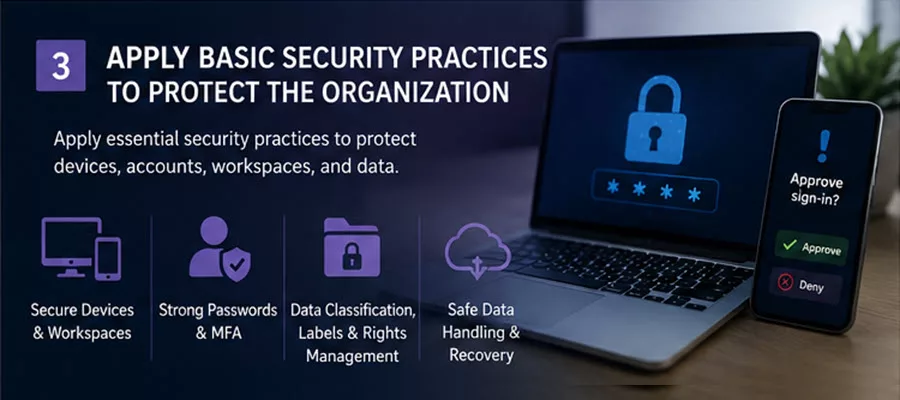
Microsoft expects candidates to understand how to secure remote and mobile devices and workspaces using strong passwords, multifactor authentication, and other essential security practices. Candidates should also recognize and classify sensitive data, understand sensitivity labels and rights management, apply proper data-handling techniques, and understand the basics of backup and recovery.
You should understand the following areas:
Securing Devices, Accounts, and Workspaces
Business users should:
- Use strong passwords or passphrases.
- Use multifactor authentication.
- Lock the screen when away.
- Keep devices updated.
- Avoid installing unapproved software.
- Report lost or stolen devices.
- Avoid unknown USB devices.
- Use approved storage locations.
- Avoid using personal accounts for business data.
- Set a short screen timeout on mobile devices (1–5 minutes).
- Review app permissions regularly and revoke unnecessary access (camera, location, contacts).
- Disable Bluetooth when not actively using it.
- Comply with mobile device management (MDM) policies enforced by your organization.
- Use your organization’s VPN when accessing work resources from mobile devices on public networks.
Protecting Sensitive and Proprietary Data
You should understand how to identify sensitive data and apply the right handling method.
Examples of sensitive data include:
- Customer records
- Employee data
- Financial information
- Health information
- Legal information
- Confidential business plans
- Passwords and secrets
- Intellectual property
- Security incident details
You should also understand sensitivity labels. Sensitivity labels help classify and protect documents, emails, meetings, and other business content. Labels may apply markings, encryption, or restrictions that control who can access or use the content.
Data Classification Levels
Organizations classify data by sensitivity level. Each level receives different protection:
| Classification | Description | Examples |
|---|---|---|
| Public | No harm if disclosed. Minimal protection needed. | Marketing materials, published blog posts, public announcements |
| Internal | For internal use only. Should not be shared externally. | Employee directory, internal communications, general company information |
| Confidential | Restricted to authorized personnel. Encrypt if shared externally. | Financial data, customer lists, contracts, proprietary processes |
| Restricted | Highest sensitivity. Maximum protection required. | Passwords, personal identifiers (SSN, credit cards), health records, legal files |
For the exam, remember: when in doubt, classify higher rather than lower. Over-classifying slows work slightly, but under-classifying creates real risk.
Rights Management
Rights management controls what users can do with protected content. For example, rights management can restrict whether a user can:
- Open a document
- Print a document
- Copy content
- Forward an email
- Download a file
- Access content after a specific date
This helps protect sensitive data even when content is shared.
Safe Internet and Data Handling Practices
You should understand the data lifecycle and what security controls apply at each stage:
- Collect — Gather only data that is necessary for the business purpose. Verify that the collection is lawful and that consent is obtained where required.
- Use — Use data only for its stated purpose. Apply least-privilege access so only people who need the data for their job can access it.
- Transfer — Send data through encrypted channels only (HTTPS, VPN, encrypted email). Verify the recipient before sharing. Never send sensitive data via unencrypted methods.
- Store — Store data in approved locations with encryption at rest. Use corporate cloud storage or enterprise systems, not personal devices or personal cloud accounts.
- Retain — Keep data only as long as required by policy or law. Conduct periodic reviews to identify data that should be deleted.
- Destroy — Securely delete data when it is no longer needed. Simple deletion is not enough for sensitive data. Use secure deletion tools, remote wipe for lost devices, or certified destruction services for physical media.
Business users should only collect what is required, use data for approved business purposes, transfer data through approved secure channels, store data in approved locations, retain it according to policy, and destroy it securely when it is no longer needed. Business users should understand that data does not simply disappear when deleted from a folder. Proper destruction requires deliberate action.
Backup and Recovery
You do not need to be a backup administrator for this exam, but you should understand that data should be stored in approved locations that support backup and recovery.
For example, saving business-critical files only on a local desktop can increase the risk of data loss. Storing files in approved cloud or enterprise locations helps support recovery from incidents such as device loss, accidental deletion, or ransomware.
Report and Respond to Security Incidents — 10–15%
Although this is the smallest section of the exam, it is very important in real life.
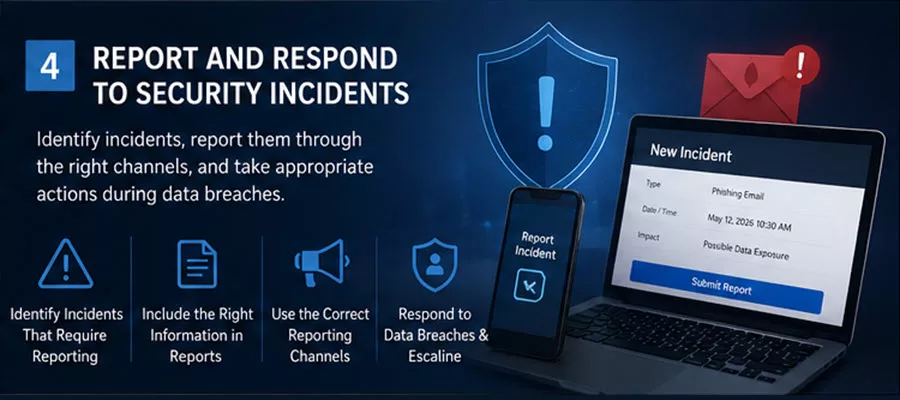
Microsoft expects candidates to identify situations that require reporting, select the correct information to include in a report, choose the appropriate reporting channel, and take appropriate action during data breaches.
Examples of incidents that should be reported include:
- Phishing attempts
- Lost devices
- Unauthorized access
- Malware symptoms
- Ransomware indicators
- Accidental data sharing
- Suspicious payment requests
- Unexpected MFA prompts
- Policy violations
- Sensitive data exposure
A good incident report should include:
- Date and time
- Type of incident
- Affected data
- Affected device or account
- People involved
- What action was taken
- Screenshots or evidence, if allowed by policy
- Whether credentials were entered
- Whether the data was opened, downloaded, or shared
During a suspected data breach, a business user should stop the unsafe activity, avoid sharing the data further, preserve evidence, notify the right team, and follow instructions.
Examples that require escalation include sensitive data exposure, ransomware, unauthorized access, or a lost device containing confidential information.
Incident Response Steps in Order
The exam includes ordering questions that ask you to sequence incident response steps correctly. Know this standard order:
- Stop — Stop the unsafe activity immediately. Do not continue using the affected system.
- Disconnect — If malware is suspected, disconnect the device from the network (unplug Ethernet, disable Wi-Fi) to prevent spread.
- Preserve — Do not restart the device or attempt to fix it yourself. Preserve the current state for forensic investigation. Take screenshots if possible.
- Report — Notify IT or your security team immediately with details: what happened, when, what system is affected, and what actions you have already taken.
- Cooperate — Follow instructions from the security team. Change passwords if instructed. Provide additional information as needed.
Important: As a business user, your role in incident response is to detect and report. Containment, investigation, and recovery are handled by the security and IT teams. Do not attempt unauthorized cleanup or remediation.
Escalation Triggers
Some incidents require immediate escalation to senior leadership or legal teams:
- Sensitive data exposure (customer PII, financial records, health information)
- Ransomware attack (systems encrypted, business operations halted)
- Multiple systems compromised (suggests a sophisticated or widespread attack)
- Active ongoing threat (attacker still present in the network)
- Regulatory impact (potential GDPR, HIPAA, or other compliance violations)
- Insider threat (suspected employee data theft or misconduct)
When in doubt about severity, escalate higher rather than lower. It is always better to over-report than to under-report.
Exam SC-730 Learning Path and Study Resources
At the time of writing, Microsoft Learn shows that learning paths or modules are not yet available directly in the SC-730 exam collection, and no instructor-led course is currently available for this exam.
However, you should still use the official Microsoft Learn study guide as your primary checklist. Microsoft also recommends reviewing the SC-730 study guide and following Microsoft Learn resources to prepare. To prepare effectively, focus on these areas:
- Cybersecurity awareness
- Phishing and social engineering
- Malware and ransomware
- Multifactor authentication
- Password managers
- Remote work security
- Public Wi-Fi risks
- Data classification
- Sensitivity labels
- Rights management
- Safe data handling
- AI data sharing risks
- Incident reporting
- Data breach response
Since the exam is designed for business professionals, focus on practical scenarios instead of deep technical configuration.
SC-730 Example Exam Scenarios
Here are a few examples of the type of thinking you need for SC-730.
Scenario 1: Suspicious Payment Request
You receive an urgent message from someone claiming to be your manager. The message asks you to approve a payment to a new vendor and says not to call because the manager is in a meeting.
Best response:
- Do not approve the payment immediately.
- Verify the request through a trusted channel.
- Follow the standard payment approval process.
- Report the message if suspicious
Scenario 2: Unexpected MFA Prompt
You receive an MFA approval request, but you are not trying to sign in.
Best response:
- Deny the request.
- Do not approve it.
- Report the unexpected prompt.
- Follow password reset or account protection guidance if instructed.
Scenario 3: Sensitive Data and AI
A coworker wants to paste customer records into a public AI tool to summarize the data.
Best response:
- Do not paste sensitive data into an unauthorized AI tool.
- Follow organizational policy.
- Use approved tools only.
- Remove sensitive information if policy allows.
- Ask security or compliance for guidance if needed.
Scenario 4: Lost Device
You lose your work laptop while traveling.
Best response:
- Report the lost device immediately.
- Provide device, time, and location details.
- Follow IT/security instructions.
- Do not wait to see whether the device is found.
Scenario 5: Malware Symptoms
Your laptop becomes slow, shows pop-ups, and unknown applications appear.
Best response:
- Stop using the device for sensitive work.
- Report the issue to IT/security.
- Do not attempt unauthorized cleanup.
- Follow the organization’s incident response process.
Scenario 6: Insider Threat Behavior
You notice a colleague who recently submitted their resignation is downloading large amounts of customer data to a USB drive after hours.
Best response:
- Do not confront the colleague directly.
- Report the behavior to your manager or security team immediately.
- Provide details: what you observed, when, and who was involved.
- Let the security team investigate. This is a potential insider threat requiring evidence preservation.
Schedule Exam SC-730
Once you are ready to take the exam, you can schedule it from the official Microsoft Learn exam page.
At the time of writing, Microsoft lists Exam SC-730 as a beta exam. The Microsoft Tech Community announcement also states that the first 300 people who take Exam SC-730 beta on or before May 27, 2026, can get 80% off by using the discount code SC730Eclipse, subject to availability and country restrictions. Microsoft also states that general availability is expected in July 2026.
Please note that beta exam details, availability, discounts, and timelines can change. Always confirm the latest information on the official Microsoft Learn exam page before registering.
Please note that if you’re planning to take the beta exam, it is not scored immediately because Microsoft gathers data on the quality of the questions and the exam.
SC-730 Exam Tips
Here are my recommendations to prepare and pass the SC-730 exam:
- Read the official Microsoft study guide carefully; we already discussed it here.
- Focus on the highest-weighted domain: cybersecurity risks and threats.
- Practice identifying phishing, malware, suspicious links, and social engineering.
- Understand the importance of MFA and password managers.
- Know what information should not be shared with unauthorized AI tools.
- Understand sensitivity labels and rights management conceptually.
- Know when to report a security incident.
- Know what information to include in an incident report.
- Understand what to do during a data breach.
- Think like a responsible business user, not a security administrator.
- Pay special attention to ordering and sequencing questions. Practice determining the correct order of incident response steps.
- Read all answer choices carefully. Microsoft includes plausible distractors designed to trick you if you only pattern-match without understanding the reasoning behind each choice.
- Manage your time carefully. The actual exam time is 60 minutes (not the 90 minutes shown in the appointment), and with approximately 58 questions, you have roughly 1 minute per question. Do not spend too long on any single question — flag it for review and move on.
The best exam mindset is: Recognize the risk, protect the data, verify the request, follow policy, and report promptly.
SC-730 Exam Experience & Takeaways
I took the SC-730 beta exam on 20/05/2026, and here is my honest experience to help you prepare and pass.
Exam Format and Feel
One important detail: the exam had 58 questions with only 60 minutes of actual exam time. The 90-minute appointment time you see when scheduling includes the NDA, survey, and feedback screens. Do not assume you have 90 minutes for the questions — you have 60. That gives you roughly 1 minute per question, which makes this exam longer and more time-pressured than most Microsoft exams at this level. Pace yourself from the start.
The SC-730 exam is entirely scenario-based and non-technical. There are zero vendor-specific terms. You will not see questions about configuring Microsoft Defender, writing KQL queries, or managing security policies in a portal. This is a purely agnostic cybersecurity awareness exam focused on what business professionals should know and do.
The questions are framed around realistic workplace situations. For every question, ask yourself: “What is the correct action for a responsible business user in this situation?” Think in terms of business risk and impact, not technical jargon.
What I Actually Saw in the Exam
Heavy focus on risks and threats: The largest portion of the exam is about recognizing phishing, malware, social engineering, and suspicious activity in realistic workplace scenarios. This matched the 30–35% weighting listed in the study guide.
Ordering/sequencing questions: Several questions ask you to put 4 steps in the correct order. For example, when an incident happens, what order do you follow: isolate, report, restore, or investigate? You will do all of these things, but the exam asks you to determine the correct sequence. This was the most challenging question type for many people, including technical professionals.
AI-specific questions: Expect questions about what types of data should not be shared with AI tools. This is a small slice, but it does come up and can catch you off guard if you have not reviewed it.
Incident reporting: Multiple scenario-driven questions about which situations require reporting, what information to include in a report, the right reporting channel, basic steps when a breach occurs, and when to escalate.
Business context vs. personal context: Pay attention to whether a question is asking you to respond in a business context or a personal context. For example, some choices may include “report to IT through official channels” versus “change password immediately.” The correct answer depends on the context of the question.
Key Takeaways for Exam Preparation
- This exam rewards awareness and good judgment over memorized commands or technical knowledge.
- Security decisions are framed in terms of business risk and impact. Train yourself to ask “What is the business consequence here?” every time you read a question.
- The exam feels similar to the corporate compliance training videos most business professionals have already watched. If you work in a corporate environment, much of this will feel intuitive.
- Read the wrong answers carefully when practicing. Microsoft includes plausible-sounding distractors that can trip you up if you are just pattern-matching without understanding the reasoning.
- Focus on ordering and sequencing of incident response steps. Know the correct order of actions when something happens.
- You do NOT need SC-900 or any other learning path to pass this exam. Focus on cybersecurity awareness: malware, ransomware, phishing, data classification, and incident handling.
- If you already work in a business role where you handle data and use cloud tools daily, 3–5 weeks of consistent study is enough.
- If you are a technical professional with cybersecurity experience, the exam will feel straightforward, but do not underestimate the ordering questions and the business-context framing.
My Verdict
As a technical and security architect, I found the SC-730 exam easy. The questions felt straightforward because the concepts covered — phishing recognition, incident response steps, data classification, and safe data handling — are things I work with daily. I completed the exam in about 55 minutes out of the 60-minute exam clock and felt confident throughout.
That said, this exam was not designed for people like me. It was designed for business professionals without a security background. If you are a non-technical professional taking this exam, do not let my experience set unrealistic expectations. Give yourself proper study time and focus on the scenario-based thinking described above.
I would absolutely recommend this certification for business users. It validates practical cybersecurity awareness that every employee in an organization should have. For technical professionals, it serves as a quick refresher and an easy credential to add, but the real value is in encouraging non-technical colleagues to earn it.
My final advice: think like a responsible business user, not a security administrator. Follow policy, verify before acting, report promptly, and protect sensitive data. If you approach every question with that mindset, you will pass.
Other Microsoft Certification Exams
Are you interested in another Microsoft certification exam? We highly recommend checking out the following certification paths:
- Exam SC-900: Microsoft Security, Compliance, and Identity Fundamentals
- Exam SC-200: Microsoft Security Operations Analyst
- Exam SC-300: Microsoft Identity and Access Administrator
- Exam SC-401: Administering Information Security in Microsoft 365
- Exam SC-500: Cloud and AI Security Engineer Associate
- Exam SC-100: Microsoft Cybersecurity Architect
- Exam MS-102: Microsoft 365 Administrator
- Exam AZ-500: Microsoft Azure Security Technologies
- Exam AZ-104: Microsoft Azure Administrator
- Exam AI-900: Microsoft Azure AI Fundamentals
- Exam AB-730: AI Business Professional
Conclusion
The Microsoft Certified: Cybersecurity Business Professional certification is a great addition to the Microsoft certification portfolio because it recognizes the important role business users play in protecting organizational data.
You do not need to be a cybersecurity engineer to benefit from this certification. Instead, you need to understand common threats, apply safe practices, protect sensitive information, follow organizational policies, and respond correctly when suspicious activity occurs.
Exam SC-730 is practical and scenario-driven. If you focus on cybersecurity awareness, phishing detection, safe data handling, AI data risks, MFA, password protection, remote work security, and incident reporting, you will be well prepared.
Good luck with your SC-730 exam preparation, and let us know once you pass in the comments section below!
Remember, you can always support us in developing tools and creating content via Why Contribute? – Charbelnemnom.com Cloud & Cybersecurity
__
Thank you for reading our blog.
Please let us know in the comments section below if you have any questions or feedback.
-Charbel Nemnom-
