Microsoft Sentinel is a powerful cloud-native SIEM (Security Information and Event Management) and SOAR (Security Orchestration, Automation, and Response) solution to help organizations aggregate, analyze, and act on security data. One of its recent innovations, Summary Rules with Auxiliary Logs, offers significant advantages in performance and cost by precompiling and aggregating raw log data into concise tables.
In this blog post, we will dive deep into concrete examples of how Microsoft Sentinel Summary rules can be effectively used with Fortinet logs while integrating Indicators of Compromise (IoCs) from the Microsoft Defender Threat Intelligence connector. We will explore the technical details, provide step-by-step code examples in KQL (Kusto Query Language), and discuss the impact on query performance, cost efficiency, and overall security posture.
Table of Contents
Introduction
In today’s threat landscape, speed and efficiency in detecting anomalies and potential breaches are paramount. Organizations using Fortinet devices, one of the leading vendors in network security, generate a massive volume of log data. Processing these logs in real time can be challenging, especially when complex queries are run frequently over long periods.
Microsoft Sentinel Summary Rules address these challenges by pre-aggregating data into summary custom tables. This precompilation not only accelerates query execution but also significantly reduces operational costs—by reducing the data volume scanned during each query. Additionally, when combined with Threat Intelligence from Microsoft’s TI connector, these summary rules enable proactive identification of malicious network events using Indicators of Compromise (IoCs). This integration enhances incident prioritization and helps security teams quickly pivot to remediation actions.
In this article, you will find concrete technical examples and in-depth analysis on setting up Sentinel Summary Rules for Fortinet logs, their benefits in terms of query performance and cost savings, and how to integrate these rules with Threat Intelligence for powerful IoC-driven alerting.
What Are Summary Rules?
Summary Rules in Microsoft Sentinel represent a strategic advancement in log analytics. They are designed to aggregate raw log data into concise, precompiled tables, significantly reducing the time required to run complex queries over large datasets. With Summary Rules, you can enjoy the benefits of both performance and cost savings:
Accelerated Queries: Precompiled summary data enables rapid searches across historical records.
Cost Efficiency: Retain only necessary data in the analytics tier, reducing storage costs. For example, why keep 1,000 logs that say the same thing when we can summarize that data and keep only the important values we are interested in?
Enhanced Data Privacy: Sensitive details can be obfuscated during summarization, ensuring compliance with privacy standards.
Historical Analysis: Facilitates long-term trend analysis and incident investigations by retaining summary data beyond the standard retention period.
When Fortinet devices send log data into Sentinel, the volume and diversity of information (traffic logs, web session data, network session statistics) can quickly overwhelm the system if not appropriately managed. Applying summary rules in Microsoft Sentinel helps to:
Aggregate Traffic Statistics: For instance, by summarizing total outbound bytes sent to public IP addresses.
Monitor Session Data: By providing hourly insights into network session counts, data sent, and received, it detects abnormal spikes that could indicate scanning or data exfiltration.
Analyze Web Session Activity: To track user changes or system-generated requests that might indicate malicious behavior.
Fortinet Summary Rules: Practical Examples
In this section, we dive into several example summary rules built on Fortinet logs ingested into the default CommonSecurityLog Analytics table. Each example includes a clear description of its purpose, a code snippet in KQL, and an explanation of the logic used.
In the example below, we used the CommonSecurityLog Analytics table in the summary rule. However, the intention behind summary rules is to extract and summarize the logs sent to an Auxiliary or Basic plan table. Currently, Auxiliary tables do not support transformation, though this feature is coming very soon. You can apply the same logic described below for Basic custom tables instead of Analytics tables:
Fortinet Fortigate Outbound SentBytes Summary
The summary rule below aggregates the total bytes sent from Fortinet devices to public IP addresses. It plays a crucial role in detecting potential data exfiltration attempts by monitoring unexpected increases in outbound traffic.
Summary Rule:
// Outbound Sent Bytes to Public IP Addresses
// Summary of events with public IP Addresses and the outbound SentBytes.
let PrivateIPregex = @'^127\.|^10\.|^172\.1[6-9]\.|^172\.2[0-9]\.|^172\.3[0-1]\.|^192\.168\.';
CommonSecurityLog
| where DeviceVendor == "Fortinet" and Activity == "traffic:forward accept"
| where isnotempty(DestinationIP) and isnotempty(SourceIP)
| extend DestinationIpType = iff(DestinationIP matches regex PrivateIPregex, "private", "public")
| where DestinationIpType == "public"
| summarize TotalBytesSent = sum(SentBytes)
Fortinet Outbound SentBytes Summary
Explanation:
Filtering Criteria: The query starts by ensuring only logs from Fortinet devices (and specifically accepted traffic) are selected.
IP Type Determination: A regular expression distinguishes between private and public IP addresses. Only public IP addresses are processed further.
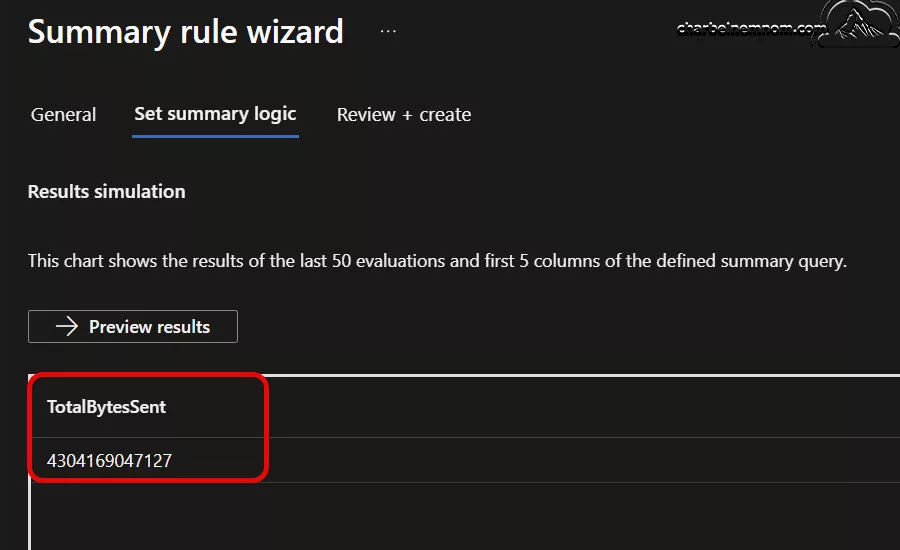
Aggregation: Using the summarize operator, the query calculates the total outbound bytes, as shown in the figure below.
Summary Total Bytes Sent
Once you have your summary dataset (e.g., OutboundFortinetBytesPublicIP_CL), you can create an analytic rule that will run on this data, as it is an analytic table. Your analytic rule can look back 14 days to create a baseline, and it can trigger an alert if your ingestion over the last 24 hours was 70% or higher than your baseline, as in the example below.
Analytic Rule:
let lookbackPeriod = 14d;
let detectionWindow = 1d;
// Calculate the baseline as the average TotalBytesOut over the last 14 days (excluding the last 24 hours)
let baseline = toscalar(
    OutboundFortinetBytesPublicIP_CL
    | where TimeGenerated between (ago(lookbackPeriod) .. ago(detectionWindow))
// Retrieve data for the last 24 hours and check against the baseline
    | summarize avg(TotalBytesSent)
);
OutboundFortinetBytesPublicIP_CL
| where TimeGenerated >= ago(detectionWindow)
| extend FormattedTime = format_datetime(TimeGenerated, 'dd.MM.yyyy, HH:mm:ss')
| extend Baseline = baseline
| extend Threshold = Baseline * 1.7 // 70% increase above baseline for network traffic
| extend IncreasePercentage = (TotalBytesSent - Baseline) * 100.0 / Baseline
| where TotalBytesSent > Threshold
| extend DynamicAlertsFields = strcat(
    "Alert generated at ", FormattedTime,
    " the total bytes sent is: ", TotalBytesSent,
    " the baseline is: ", Baseline,
    " the threshold is: ", Threshold,
    " and the increase percentage is: ", IncreasePercentage
)
| project FormattedTime, TotalBytesSent, Baseline, Threshold, IncreasePercentage, DynamicAlertsFields
This rule efficiently tracks significant network changes and ensures the SOC receives early warnings about abnormal outbound traffic spikes.
Fortinet Fortigate NetworkSession IP Summary
The summary rule below focuses on aggregating network session data, offering hourly insights into the number of sessions, as well as the total sent and received data. These insights are vital for spotting unusual session volumes that may signal port scanning, lateral movement, or advanced persistent threats (APTs).
Summary Rule:
// Fortinet Fortigate NetworkSession IP Summary
CommonSecurityLog
| where DeviceVendor == "Fortinet"
  and (column_ifexists("DeviceEventCategory","") has "traffic" or AdditionalExtensions has "cat=traffic")
| summarize Count = count(), SentBytes = sum(SentBytes), ReceivedBytes = sum(ReceivedBytes)
  by SourceIP, DestinationIP, DestinationPort, DeviceAction, Protocol, bin(TimeGenerated, 1h)
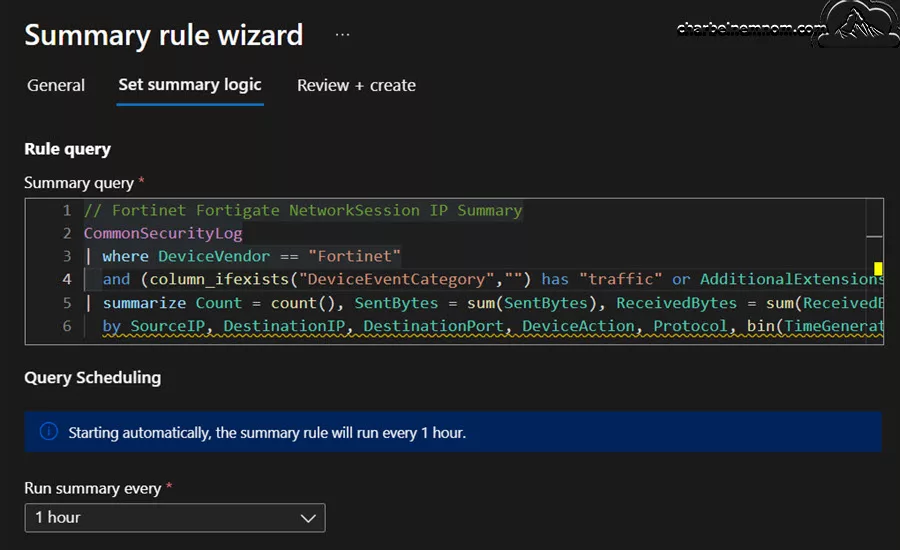
Fortinet Network Session IP Summary
Explanation:
Log Filtering: The query selects logs from Fortinet devices that are specifically associated with traffic events.
Field Aggregation: It groups data by key indicators like SourceIP, DestinationIP, and DestinationPort using the bin function to segment the logs into hourly intervals.
Output Fields: The summarized output contains the total number of sessions, sent bytes, and received bytes for each group.
Usage Scenarios: By comparing the session counts to predetermined thresholds (e.g., 100 sessions per hour), SOC teams can quickly pinpoint unusual network activity that requires additional investigation.
Once you have your summary dataset (e.g., FortinetNetworkSessionSummary_CL), you can create an analytic rule that will run on this data, as it is an analytic table. This analytic rule could be especially useful when routine session counts are predictable, so any significant deviation stands out quickly and will detect NetworkSession spikes, as in the example below.
Analytic Rule:
// Assume your summary table is named FortinetNetworkSessionSummary_CL
// This query flags hour-long aggregates where the session count is greater
// than a predefined threshold (which could be determined from historical data)
let thresholdSessions = 100;
FortinetNetworkSessionSummary_CL
| where Count > thresholdSessions
| project TimeGenerated, SourceIP, DestinationIP, DestinationPort, DeviceAction, Protocol, Count, SentBytes, ReceivedBytes
| extend DynamicAlertFields = strcat(
    "High network session volume detected. Sessions: ", Count,
    ", Source: ", SourceIP, ", Destination: ", DestinationIP,
    ", Port: ", tostring(DestinationPort), ", Protocol: ", Protocol
)
This analytic rule is beneficial in environments where routine session counts are stable, meaning any deviation from the norm can be promptly and accurately flagged.
Fortinet Fortigate WebSession IP Summary
The Fortinet WebSession IP Summary rule aggregates web session logs, focusing on summarizing information about user web requests. The summary rule below helps monitor the usage patterns of web traffic. It can be an early alert for unusual bursts that might indicate data exfiltration or command-and-control communication.
Summary Rule:
// Fortinet Fortigate WebSession IP Summary
CommonSecurityLog
| where DeviceVendor  == "Fortinet"
  and Activity has_all ('webfilter', 'utm')
| summarize Count = count(), SentBytes = sum(SentBytes), ReceivedBytes = sum(ReceivedBytes)
  by SourceIP, DestinationIP, DestinationPort, DestinationHostName, DeviceAction, bin(TimeGenerated, 1h)
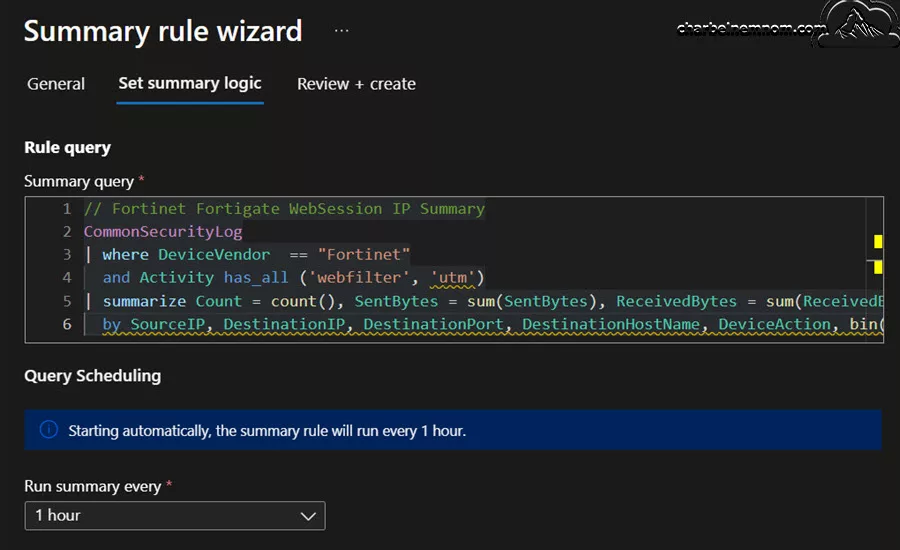
Fortinet Web Session IP Summary
Explanation:
Vendor & Activity Filtering: Only logs from Fortinet devices involving web filter and UTM activities are processed.
Data Aggregation: The query uses aggregation to count sessions and sum the bytes transferred within 1-hour intervals.
Detection Capabilities: By monitoring changes in web session activity, you could monitor for unexpected increases in web session activity. The web session logs provide insight into user- or system-initiated web requests filtered through Fortinet’s UTM.
Once you have your summary dataset (e.g., FortinetWebSessionSummary_CL), you can create an analytic rule that will run on this data, as it is an analytic table. This analytic rule serves as an early warning that either web usage patterns have shifted or that an attacker might be leveraging web sessions to move data or communicate with command-and-control domains and will detect WebSession spikes, as in the example below.
Analytic Rule:
// Assume your summary table is named FortinetWebSessionSummary_CL
// This query flags a high number of web sessions or an unusual volume of data
// sent/received by destination hostname in a recent time window.
let thresholdSessions = 50;
FortinetWebSessionSummary_CL
| where Count > thresholdSessions
| project TimeGenerated, SourceIP, DestinationIP, DestinationHostName, DestinationPort, DeviceAction, Count, SentBytes, ReceivedBytes
| extend DynamicAlertFields = strcat(
    "High web session activity detected for host ", DestinationHostName,
    ". Sessions: ", Count,
    ", SentBytes: ", SentBytes,
    ", ReceivedBytes: ", ReceivedBytes
)
This analytic rule helps to reduce the noise by summarizing high-volume log data, enabling faster and more accurate detection of potential threats.
Integrating Threat Intelligence IoCs with Fortinet Logs
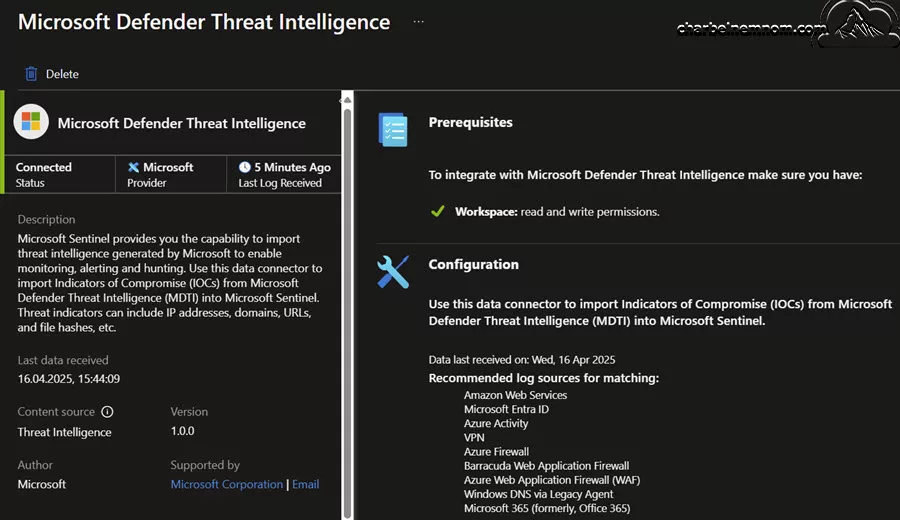
While summary rules with Auxiliary logs address performance and cost, integrating Threat Intelligence IoCs with your Fortinet logs dramatically increases detection fidelity. Organizations can correlate local telemetry with global threat indicators by leveraging the Microsoft Defender Threat Intelligence connector.
Microsoft Defender Threat Intelligence connector
In this section, we’ll review several powerful detection queries:
This rule identifies malicious source IP addresses by cross-referencing Fortinet firewall logs against active Threat Intelligence IoCs. By filtering out denied or blocked traffic, the focus remains on allowed communication that might indicate a breach.
Analytic Rule:
// Check Fortinet firewall data and match the IP addresses against any Threat Intelligence indicators of compromise (TI IOCs)
CommonSecurityLog
| where DeviceVendor == "Fortinet"
| where DeviceAction !in ("deny", "blocked")
| where isnotempty(SourceIP)
| extend sourceAddress = SourceIP, destinationAddress = DestinationIP, DestinationPort
| lookup kind=inner (ThreatIntelIndicators
    | where ObservableValue != '' and IsActive == true
) on $left.sourceAddress == $right.ObservableValue
| project TimeGenerated, Activity, Message, DeviceVendor, sourceMaliciousIP = sourceAddress, destinationAddress, DestinationPort
| summarize count() by sourceMaliciousIP, destinationAddress, DestinationPort, Message
Explanation:
Traffic Filtering: The query begins by excluding events with “deny” or “blocked” actions, thus focusing on allowed network traffic.
Lookup Operation: It performs a lookup against the new ThreatIntelIndicators table to match known malicious IPs.
Summarization: The output is then summarized to provide counts and contextual details, such as destination addresses and ports.
Operational Value: This detection lets security teams quickly identify and respond to traffic involving malicious source IPs.
Fortinet Detecting Malicious Destination IP Addresses
This analytic rule focuses on destination IP addresses like the source IP rule above. It first excludes logs with private IPs and benign firewall actions, then cross-references the remaining destination IPs with known Threat Intelligence IoCs.
Analytic Rule:
// Malicious IP address detected based on Sentinel Threat Intelligence indicators
CommonSecurityLog
| where DeviceVendor == "Fortinet"
// filter out deny, blocked to reduce data volume
| where DeviceAction !in ("deny", "blocked")
| where not(
    // Exclude private IP address ranges
    ipv4_is_in_range(DestinationIP, "10.0.0.0/8") or
    ipv4_is_in_range(DestinationIP, "172.16.0.0/12") or
    ipv4_is_in_range(DestinationIP, "192.168.0.0/16")
)
| distinct DestinationIP
| project DestinationIP
// compare if any destination IP matches the Threat Intelligence IP database
| join kind = inner (
    ThreatIntelIndicators
    | where ObservableValue != '' and IsActive == true
) on $left.DestinationIP == $right.ObservableValue
| extend ThreatType = tostring(Data.indicator_types[0])
| project TimeGenerated, Source_IP = DestinationIP, ConfidenceScore = Data.confidence, ThreatType, Malicious_IP = ObservableValue, Description = Data.description
Explanation:
IP Range Exclusion: Excluding private ranges minimizes false positives.
Distinct Aggregation: The query isolates unique destination IP addresses.
Join with IoCs: The inner join with the new ThreatIntelIndicators table ensures only validated IoCs trigger an alert.
Output Detailing: The resulting fields provide threat type, confidence score, and additional descriptions, which are crucial for prioritizing incident response.
Fortinet Malicious DNS Name Detection
This analytic rule detects malicious DNS queries originating from Fortinet devices. It cross-checks DNS names from the logs against the Threat Intelligence database, which flags known malicious domains.
Analytic Rule:
// Malicious DNS name detected based on Sentinel Threat Intelligence indicators
CommonSecurityLog
| where DeviceVendor == "Fortinet"
// filter out deny, blocked to reduce data volume
| where DeviceAction !in ("deny", "blocked")
| distinct DestinationHostName
| project DestinationHostName
// compare if any destination domain name matches the Threat Intelligence database
| join kind = inner (
    ThreatIntelligenceIndicator
    | where DomainName != ''
) on $left.DestinationHostName == $right.DomainName
Explanation:
DNS Filtering: The query extracts distinct destination hostnames from the logs.
Threat Intelligence Matching: Using a join operation, it compares these hostnames against the Threat Intelligence data.
Operational Use: This is particularly effective in detecting phishing, malware command-and-control domains, and malicious redirection attempts.
Fortinet Unwanted or Malicious Applications Detection
This analytic rule identifies unwanted or malicious applications based on risk ratings. The query provides insight into which applications might need further scrutiny by examining application risk details (such as ad.apprisk=high or ad.apprisk=critical).
Analytic Rule:
// Unwanted or malicious applications detected
CommonSecurityLog
| where DeviceVendor == "Fortinet"
| where DeviceAction == "accept"
| extend additional_fields = split(AdditionalExtensions, ";")
| where additional_fields[22] == "ad.apprisk=high" or additional_fields[22] == "ad.apprisk=critical"
| summarize sessions = count() by category = tostring(additional_fields[21]), application = tostring(additional_fields[20])
| sort by sessions
Explanation:
Traffic Selection: The query processes only “accept” actions, which means allowed applications.
Risk Filtering: It extracts application risk values from the additional fields and filters for high or critical risk ratings.
Aggregation and Sorting: Session counts are grouped by application category and sorted to prioritize the most active high-risk applications.
Strategic Value: Detecting these high-risk applications ensures that security policies can be enforced to block or monitor applications that pose a significant risk.
Fortinet Detecting TOR Network Traffic
Threat actors often use TOR to anonymize their activities. This detection rule aims to identify TOR network traffic originating from LAN to WAN connections using an external list of TOR exit nodes.
Analytic Rule:
// Tor network traffic detected from LAN to WAN
let lookbackPeriod = 14d;
let tor_exit_nodes = materialize(
    (externaldata(exit_node: string)
    [@"https://raw.githubusercontent.com/SecOps-Institute/Tor-IP-Addresses/master/tor-exit-nodes.lst"]
    with (format="txt"))
    | project exit_node
    | summarize by exit_node
);
CommonSecurityLog
| where DeviceVendor == "Fortinet"
| where TimeGenerated > ago(lookbackPeriod)
| where SourceIP in (tor_exit_nodes)
| where DeviceAction !in ("close", "deny")
| project TimeGenerated, DeviceOutboundInterface, SourceIP, SourcePort, DestinationIP, DestinationPort, Activity, DeviceAction
| sort by TimeGenerated
Explanation:
External Data Integration: The rule first materializes a list of known TOR exit nodes from an external source.
Traffic Analysis: It then filters Fortinet logs to match any source IP that appears in the TOR exit node list.
Alert Conditions: By excluding actions such as “close” or “deny,” the query focuses on suspicious TOR-based traffic that might be used to establish an outbound connection.
Operational Implications: Detecting TOR usage helps identify potential anonymization attempts and malicious activities that bypass conventional filtering.
Fortinet Detecting Malicious Network Traffic from LAN to WAN
This comprehensive analytic rule identifies potential malicious network traffic based on enriched threat indicators. It examines logs for meaningful events from Fortinet devices, excluding benign actions, and correlates outbound traffic with additional threat metadata.
Analytic Rule:
// Malicious network traffic detected from LAN to WAN
CommonSecurityLog
| where DeviceVendor == "Fortinet"
| where isnotempty(IndicatorThreatType)
| where isempty(DestinationHostName)
| where isnotempty(DeviceOutboundInterface)
| where DeviceAction !in ("deny", "close", "blocked")
| mv-expand todynamic(IndicatorThreatType)
| where ReportReferenceLink has "?tags="
| extend ReportReferenceLink = split(ReportReferenceLink, "=", 1)
| mv-expand ReportReferenceLink to typeof(string)
| extend MalwareType = split(ReportReferenceLink, "&")
| mv-expand MalwareType to typeof(string)
| where MalwareType <> "languageCode"
| project TimeGenerated, IndicatorThreatType, ApplicationProtocol, SourceIP, SourcePort, Message, DeviceOutboundInterface, ThreatConfidence, MalwareType, MaliciousIPCountry, DestinationIP, DestinationPort, DeviceAction, Activity
| order by TimeGenerated
Explanation:
Enriched Threat Context: This rule uses metadata (e.g., IndicatorThreatType, ThreatConfidence, and ReportReferenceLink) embedded in the logs.
Dynamic Expansion: Using the mv-expand operator allows the query to handle multiple threat types and associated metadata.
Comprehensive Output: The detailed projection includes source, destination, protocol, and threat classifications that support a thorough investigation.
Use Case: This detail level is critical when validating whether anomalous traffic is truly malicious and requires incident response escalation.
Query and Cost Efficiency Implications
The primary benefit of using summary rules is the dramatic improvement in query performance and cost efficiency. In high-throughput environments, directly querying raw logs—which can number in the millions daily—becomes both time-consuming and expensive.
Pricing model
Starting 1 May 2025, Microsoft will begin billing for queries and search jobs on logs ingested into the Auxiliary Logs plan. Querying Auxiliary Logs will be charged $0.005 per GB of data scanned (US East), and Search jobs on Auxiliary Logs will incur a cost of $0.005 per GB of data scanned (East US) plus search results ingestion costs.
Starting 1 April 2025, Auxiliary Logs will be generally available (GA). Ingestion billing will begin at $0.15 per GB (East US), and long-term retention billing will be at $0.02 per GB (US East).
By precompiling data into summary tables, subsequent analytic queries scan a considerably reduced data set, leading to:
* Faster Query Execution: Aggregated data is significantly smaller than raw logs, resulting in quicker response times for interactive queries and visualizations.
* Reduced Compute Costs: According to the Azure Monitor pricing page, querying data from Basic or Auxiliary logs tables costs around $0.005 per GB of data scanned (East US), whereas querying data from the Analytics Logs table is free of charge. Please refer to the cost calculation table below to estimate the monthly price for the Analytics, Basic, and Auxiliary table plans.
* Cost Calculation: There’s no extra cost for Summary rules. You only pay for the query and the ingestion of results to the destination table, based on the table plan of the source table on which you run the query:
Table plan
Query cost
Summary rule results ingestion cost
Analytics
No cost
Ingestion of Analytics logs (destination table)
Basic and Auxiliary
Data scan $0.005 per GB
Ingestion of Analytics logs (destination table)
For example, the formula for the cost calculation for an hourly Summary Rule that returns 100 records per bin is the following. The price below is based on the East US region with a Pay-As-You-Go model:
Table plan
Monthly price calculation
Analytics
Ingestion price ($4.30 per GB) X record volume X number of records (100) X 24 hours X 30 days.
Basic and Auxiliary
Data scan price X scanned volume ($0.005 per GB) + Ingestion price ($0.15 per GB) X record volume X number of records (100) X 24 hours X 30 days. For continuously running rule, all incoming data to source table is scanned.
Based on your use case, the volume of data scanned, and the ingestion price for the Analytics, Basic, or Auxiliary table plan, leveraging summary rules will help reduce monthly costs. This cost differential can translate into substantial savings, especially in large-scale deployments.
* Operational Efficiency: Security operations centers (SOCs) benefit from near real-time insights as the summary tables are continuously updated. This rapid access to key performance indicators (KPIs) and alerts enables swift detection and response to security anomalies.
Cost-Effective Monitoring and Alerting
The integration between summary rules and analytic rules supports a two-tiered approach that enhances both monitoring efficiency and cost-effectiveness:
1. Baseline Establishment: Historical data is aggregated over a defined lookback period (e.g., 14 days) to establish a reliable baseline for normal system behavior. By scanning a summarized dataset instead of the full raw logs, you mitigate the cost of running numerous complex queries.
2. Anomaly Detection: New data is compared against the established baseline, and alerts are triggered only when significant deviations occur—for example, a 70% increase in outbound traffic. This minimizes false positives and ensures that only genuine anomalies initiate further investigation. When querying data from Basic or Auxiliary logs tables, where each GB scanned is billed at $0.005 (East US), reducing unnecessary data scans helps control costs. In contrast, using Analytics Logs tables for these queries, which incur no query charges, further supports cost-effective monitoring.
Overall, using summary rules in Microsoft Sentinel not only speeds up data retrieval and analysis but also minimizes the financial impact of querying high-volume logs. The key is to design your log architecture in a way that leverages the three table plans (Analytics, Basic, and Auxiliary) where possible while strategically using Basic and Auxiliary tables for high-verbose data types like Fortinet, Palo Alto, etc. This balanced approach ensures a robust, efficient, cost-effective security monitoring solution.
Best Practices and Recommendations
Drawing from experience and real-world deployments, here are several best practices when leveraging Microsoft Sentinel Summary rules alongside Threat Intelligence IoCs for Fortinet logs:
1. Define Clear Baselines: Establish historical baselines over a sufficient lookback period (e.g., 14 days) to minimize false positives. Baselines help in detecting meaningful deviations, such as a 70% spike in outbound traffic.
2. Filter Early, Aggregate Later: Apply filters (for instance, excluding private IP addresses or benign actions) in the earliest stages of your KQL queries. This minimizes the volume of data being processed and aggregated, ensuring cost efficiency and faster query execution.
3. Utilize Joins and Lookups for IoC Correlation: Use lookup and join operators with the Threat Intelligence tables to continuously validate and enrich the log data with external threat indicators. This correlation is essential for actionable alerts and prioritizing response actions.
4. Monitor for Anomalies in Multiple Dimensions: Combine quantitative metrics (e.g., session counts, byte totals) with qualitative threat intelligence details (e.g., ThreatType, ConfidenceScore) to provide a well-rounded detection mechanism.
5. Iterate on Thresholds: Regularly revisit and adjust thresholds (e.g., session count thresholds, byte increase percentages) based on evolving network behavior and threat landscapes. This agility ensures your detections remain relevant over time.
6. Document and Version Control Your Queries: Maintain clear versioning and documentation for your custom KQL queries. This aids in reproducibility and helps continuously improve your security detections. See how to manage security content as code with Microsoft Sentinel.
7. Integrate Alerts and Playbooks: Once anomalous activity is detected, automatically trigger playbooks that include triage steps, threat intelligence enrichment, and incident response communications. This integration is key to reducing time and mitigating threats quickly.
8. Leverage Microsoft Sentinel’s Built-in Capabilities: Take advantage of Microsoft Sentinel’s alert grouping, investigation graphs, and integration with the Microsoft Threat Intelligence TI connector to enrich your detections further. Combining internal telemetry with global threat intelligence creates a robust defense mechanism.
Wrapping UP
In this article, we have provided a detailed walkthrough of Microsoft Sentinel Summary rules tailored to Fortinet logs and demonstrated how integrating Threat Intelligence IoCs elevates your security posture. By leveraging summary rules for data aggregation, organizations can drastically reduce query execution times and lower operational costs while maintaining near real-time detection capabilities. The various KQL queries for Fortinet summary rules and Threat Intelligence IoC detections illustrate concrete use cases—from outbound SentBytes aggregation to the detection of malicious DNS names and TOR traffic—empowering security operations centers to proactively identify anomalies and potential breaches.
The integration of IoCs via the Microsoft Threat Intelligence TI connector enriches the log data, enabling security teams to correlate telemetry with global threat indicators. This multi-layered approach not only helps in reducing noise and false positives but also provides actionable intelligence that forms the basis for efficient incident response processes.
In summary, best practices for deploying these rules include filtering and aggregating data at the earliest stages, establishing clear baselines for anomaly detection, and continuously fine-tuning thresholds as network behavior evolves. With these techniques and the robust capabilities of Microsoft Sentinel, organizations can maintain a cost-effective, high-performance security monitoring system that is well-suited for today’s dynamic threat landscape.