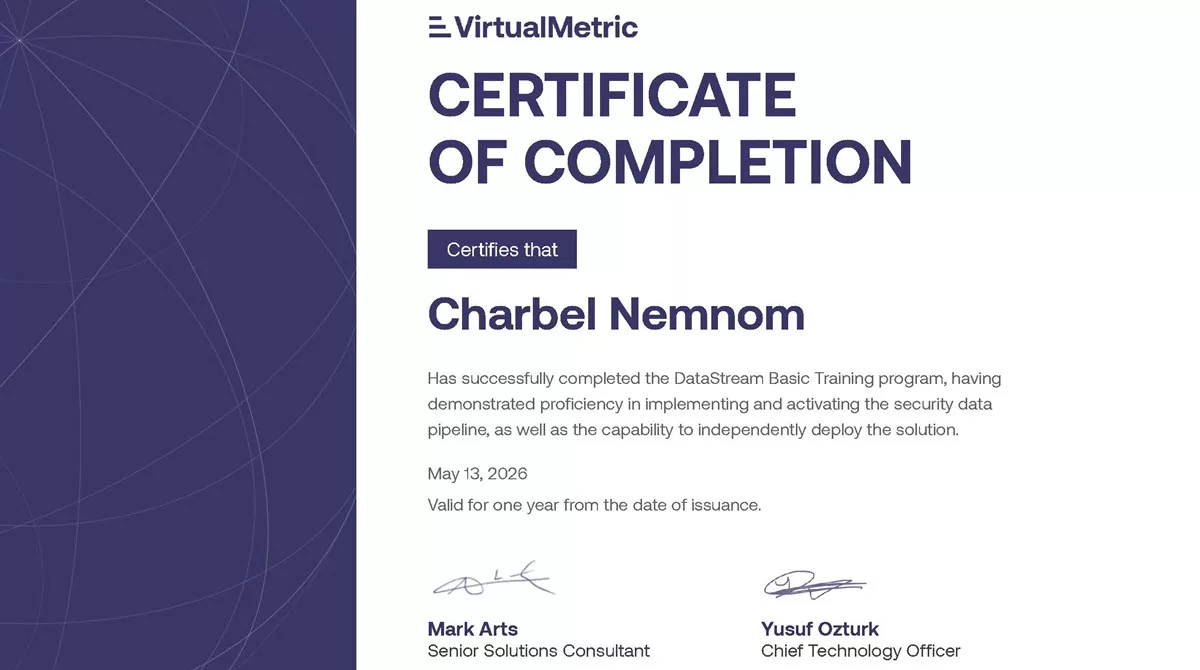
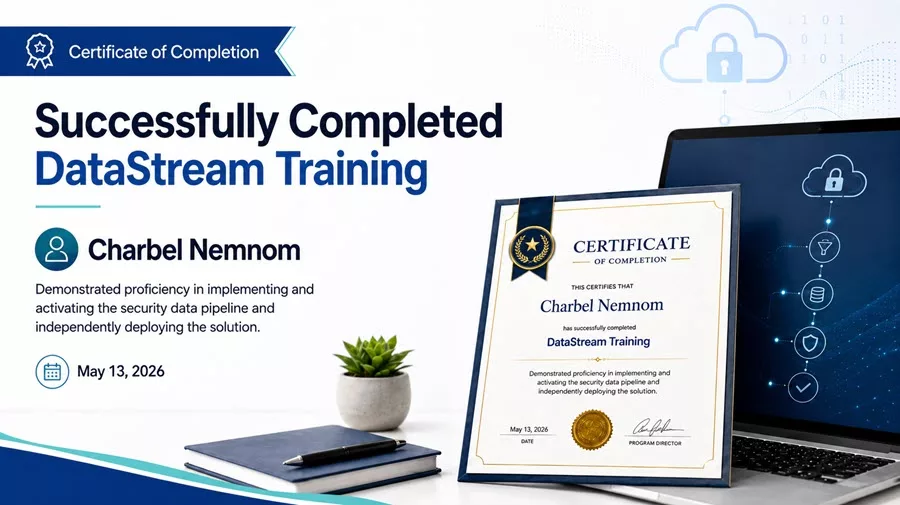
I’m happy to share that I have successfully completed the VirtualMetric DataStream Training program and received the official Certificate of Completion.
This certificate recognizes that I demonstrated proficiency in implementing and activating the security data pipeline, as well as the ability to independently deploy the VirtualMetric DataStream solution.
As someone focused on Microsoft Sentinel, Microsoft Security, cloud security operations, and cost-efficient telemetry architecture, this training is a meaningful milestone. It validates not only the conceptual understanding of VirtualMetric DataStream, but also the practical, hands-on skills required to deploy, configure, troubleshoot, and validate a working security data pipeline.
Table of Contents
Why VirtualMetric DataStream Matters
Security operations teams are collecting more data than ever before. Firewalls, servers, identity platforms, cloud workloads, SaaS applications, endpoint systems, and network devices continuously generate telemetry that may be valuable for detection, investigation, compliance, or long-term retention.
However, sending everything directly into a SIEM is not always the best approach.
In Microsoft Sentinel environments, high-volume telemetry can quickly increase ingestion costs, create unnecessary noise, and make it harder for analysts to focus on meaningful security events. This is where a dedicated security data pipeline becomes extremely valuable.
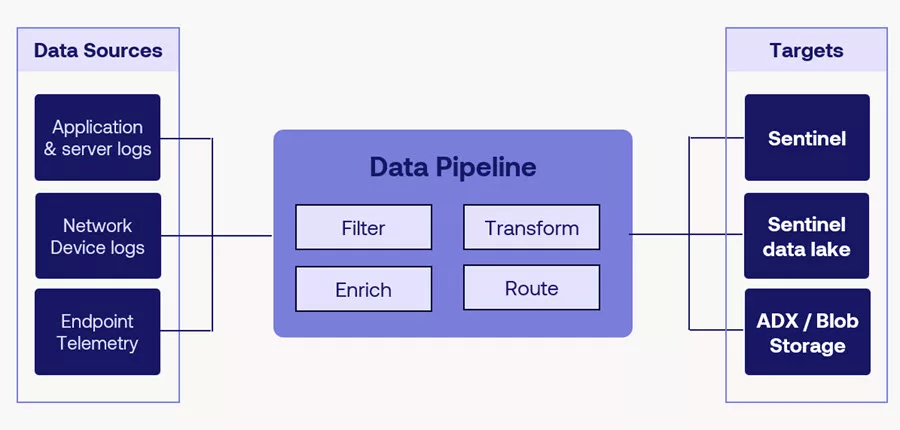
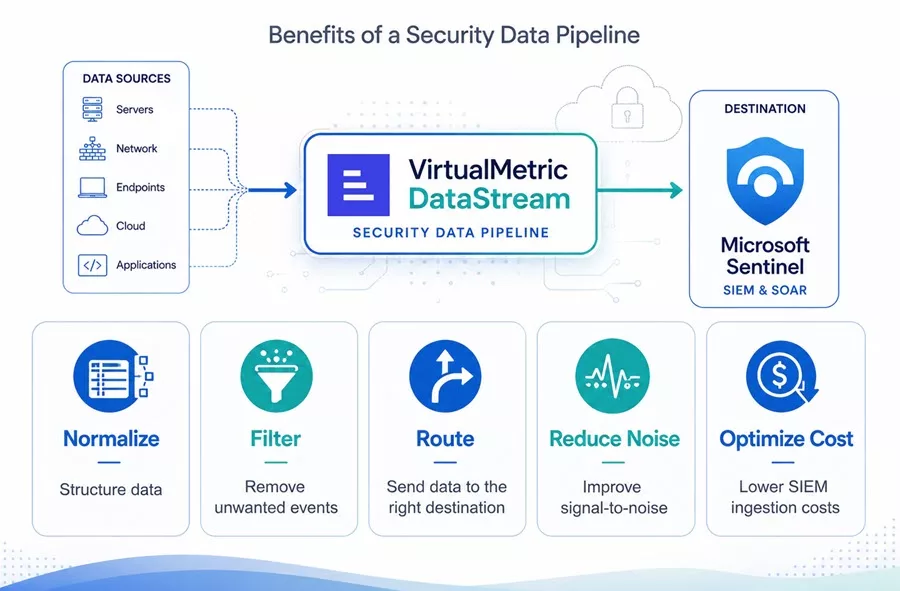
VirtualMetric DataStream provides a telemetry pipeline layer between the data sources and the destination platforms such as Microsoft Sentinel. It helps organizations collect, process, normalize, enrich, filter, route, and validate security data before it reaches the SIEM.
In my previous two-part series, I covered how DataStream can help organizations maximize Microsoft Sentinel value and optimize the security data pipeline:
- Maximizing Microsoft Sentinel ROI with VirtualMetric DataStream – Part 1
- Maximizing Microsoft Sentinel ROI with VirtualMetric DataStream – Part 2
This training program gave me the opportunity to go deeper into the operational side of the platform and validate the end-to-end deployment workflow.
What the Training Covered
The DataStream Basic Training program was hands-on and focused on the core building blocks required to deploy and operate the solution in real-world environments.
The program covered the following key areas.
1. Installing and Configuring a VirtualMetric Director
The first step was learning how to add and configure a VirtualMetric Director.
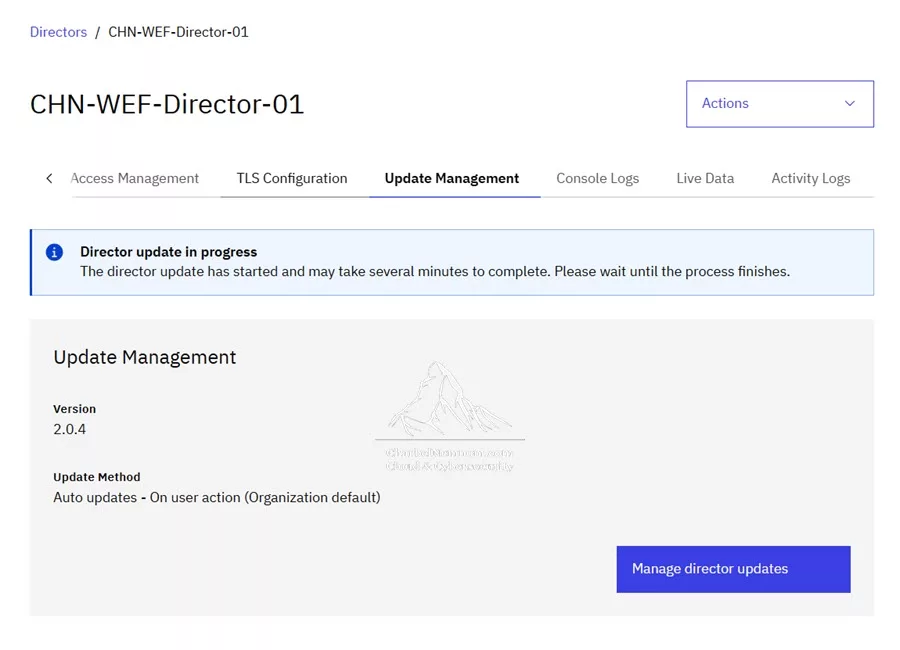
The Director is a core component of DataStream. It listens to data sources, extracts and transforms data, and routes it to the appropriate destinations. In practical terms, the Director is where much of the data processing work happens.
The training covered both Managed Mode and Self-managed Mode. For the lab environment, Managed Mode was used, which simplifies configuration and maintenance by allowing the platform to automatically apply configuration updates.
After generating the installation script from the DataStream portal, the Director was installed and verified from the user interface. Once connected, the Director became available for collecting, transforming, and routing data.
2. Adding Devices and Datasets
The next part of the training focused on adding a new device to begin collecting data.
In VirtualMetric DataStream, devices represent the data sources. These can include Windows systems, Syslog sources, firewalls, and other platforms that generate security telemetry.
For the Windows scenario, the training introduced the concept of Datasets. A Dataset is a reusable data collection rule template that defines what data to collect and how to collect it.
The training included creating datasets for:
- Windows Security Events
- Windows Event Logs
- Windows Firewall Logs
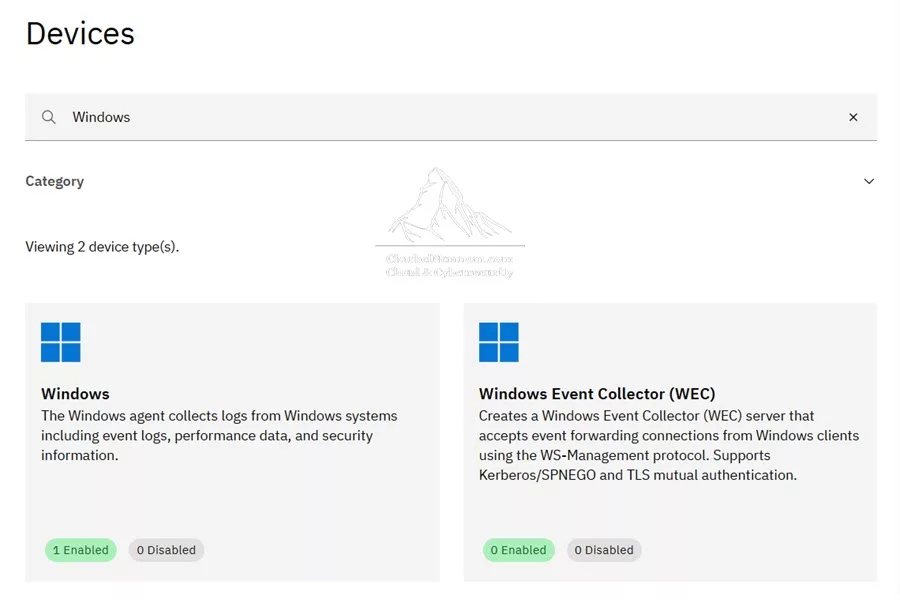
After the datasets were created, a Windows device was added and assigned to the Director. The agent-based method was used in the lab, followed by connection verification from the DataStream portal.
This step is important because it establishes the collection side of the pipeline. Without accurate device and dataset configuration, the rest of the pipeline cannot deliver reliable results.
If you are working with Windows telemetry in Microsoft Sentinel, you may also find these related guides useful:
- Windows Forwarded Events and Microsoft Sentinel
- Collect Windows Firewall Events to Microsoft Sentinel
- Collect Security Events with Azure Monitor Agent on Workstations
3. Configuring Microsoft Sentinel as a Target
Once the data source was configured, the next step was to configure a target.
In DataStream, a Target defines where processed data is sent after it has been collected and transformed. In this training, Microsoft Sentinel was used as the destination.
This part of the training covered the required Azure and Microsoft Sentinel integration steps, including permissions, authentication, and endpoint configuration.
The training also covered authentication options such as:
- App Registration with Client ID and Client Secret
- Azure Managed Identity (highly recommended)
For the lab, Azure-specific properties were used, including the Client ID, Tenant ID, and Client Secret.
The target configuration also required the Data Collection Endpoint details from Azure. Once the Microsoft Sentinel target was configured, DataStream was ready to route normalized and processed telemetry into the Sentinel workspace.
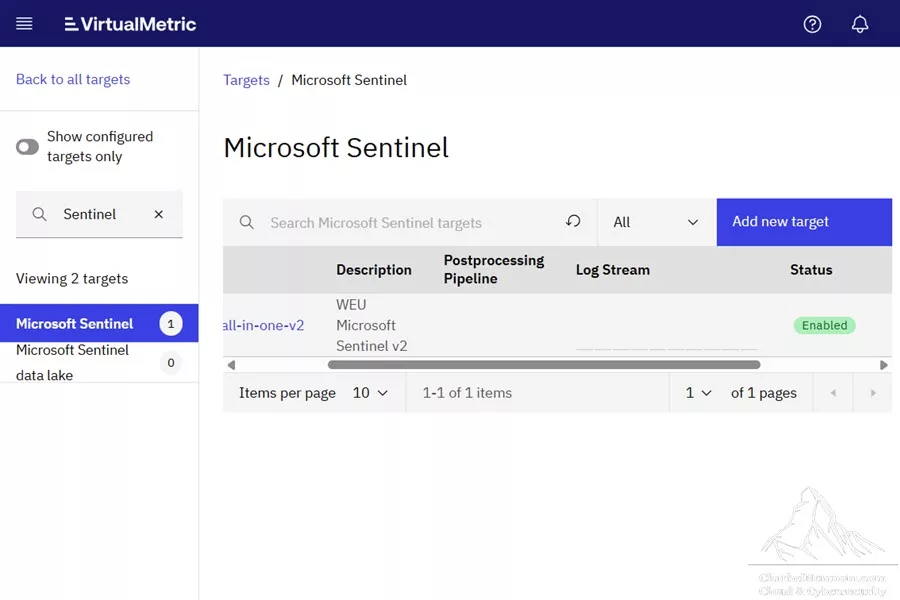
For secure log forwarding and private connectivity scenarios, check out my guide on Forward Logs to Microsoft Sentinel with Private Link.
4. Understanding Pipelines and the Content Hub
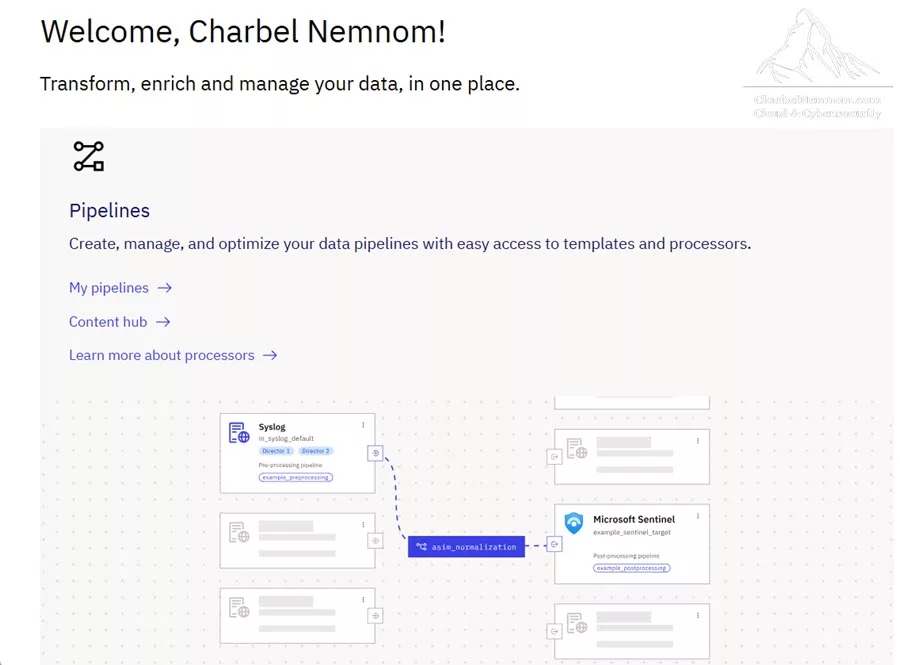
One of the most important parts of the training was understanding how DataStream pipelines work.
A pipeline is a sequence of processors that operate on incoming data in a defined order. Each processor performs a specific task, such as parsing, transforming, validating, filtering, compacting, enriching, or normalizing the data.
This is where the value of a telemetry pipeline becomes clear.
Instead of forwarding raw logs directly to Microsoft Sentinel, DataStream can process the data first and ensure that only relevant, structured, and useful information is delivered downstream.
The training introduced the DataStream Content Hub, which acts as a library of available templates and out-of-the-box packs. From the Content Hub, you can install pipeline packs for specific technologies and destinations. As of this writing, DataStream Content Hub includes more than 293 content packs for Microsoft Sentinel ready to use.
Examples included:
- Microsoft Sentinel Automation and Normalization Pack
- Microsoft Sentinel Advanced Security Information Model (ASIM) Normalization Pack
- Fortinet FortiGate Pack for Microsoft Sentinel
- Microsoft Windows Event Log Pack for Microsoft Sentinel
- Microsoft Windows Firewall Log Pack for Microsoft Sentinel
- Microsoft Windows Security Event Pack for Microsoft Sentinel
- Anthropic Claude Pack for Microsoft Sentinel
- OpenAI Pack for Microsoft Sentinel
- Azure OpenAI Pack for Microsoft Sentinel
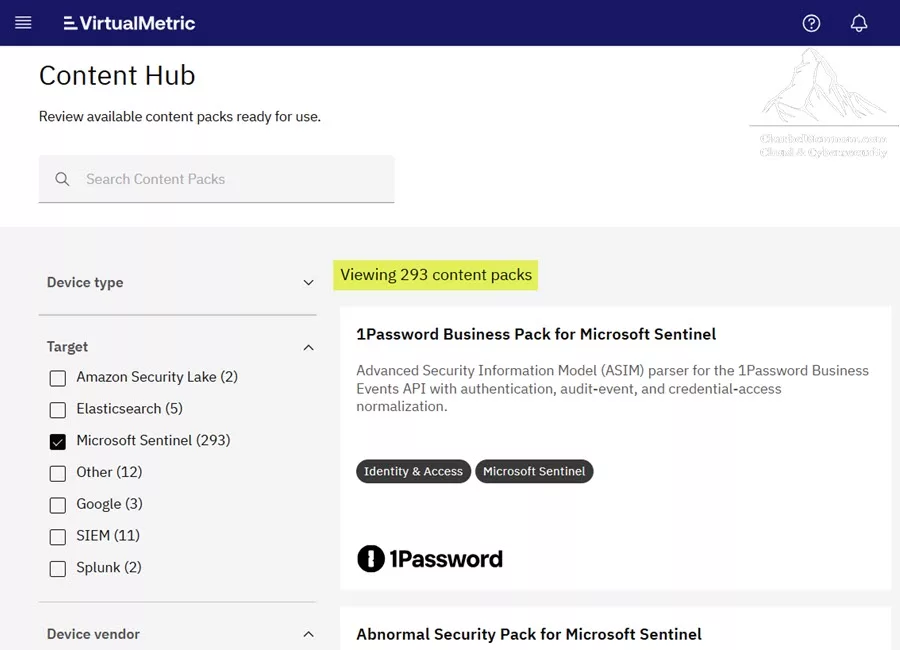
This is especially useful in Microsoft Sentinel environments because ASIM normalization helps align data to common schemas, making it easier to query, detect, correlate, and investigate across different data sources.
If you are building custom ingestion pipelines or working with firewall telemetry, you may also want to read Ingest Custom Logs to Microsoft Sentinel.
5. Connecting Devices to Targets with Quick Routes
After configuring devices, targets, and pipelines, the next step was routing.
In DataStream, routes define how data flows from a source device to a target destination, optionally passing through one or more processing pipelines.
The training covered Quick Routes, which are ideal for simple routing scenarios such as one-to-one or one-to-many connections.
In the lab, a Syslog device was created, configured to listen on UDP port 514, and then connected to the Microsoft Sentinel target. A pipeline was assigned to process the logs before sending them to Sentinel.
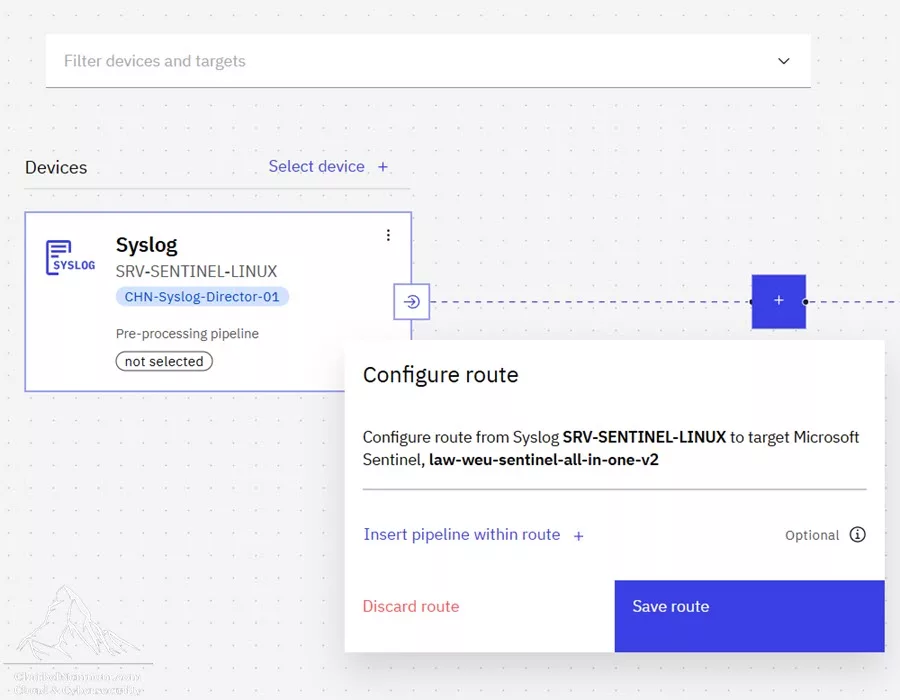
This exercise helped demonstrate how easy it is to visually connect data sources to destinations while still applying the required processing and normalization logic.
The training also introduced the concept of more advanced routing scenarios, where different data can be routed based on purpose. For example, high-value security telemetry may be sent to Microsoft Sentinel for detection and investigation, while compliance or long-term archive data may be routed to Blob Storage or a data lake.
For related architecture and retention scenarios, check out my article on Log Tiering with Microsoft Sentinel data lake.
6. Using the Pipeline Debugger
Another valuable part of the training was the Pipeline Debugger.
The Pipeline Debugger provides an interactive environment to test and validate pipeline logic before deploying changes into production. This is critical because small errors in processing logic can affect data quality, detection accuracy, or ingestion results.
The training demonstrated how to intentionally introduce an error into a pipeline, run test data through the debugger, identify which processor failed, review the processor configuration, and understand how to correct the issue.
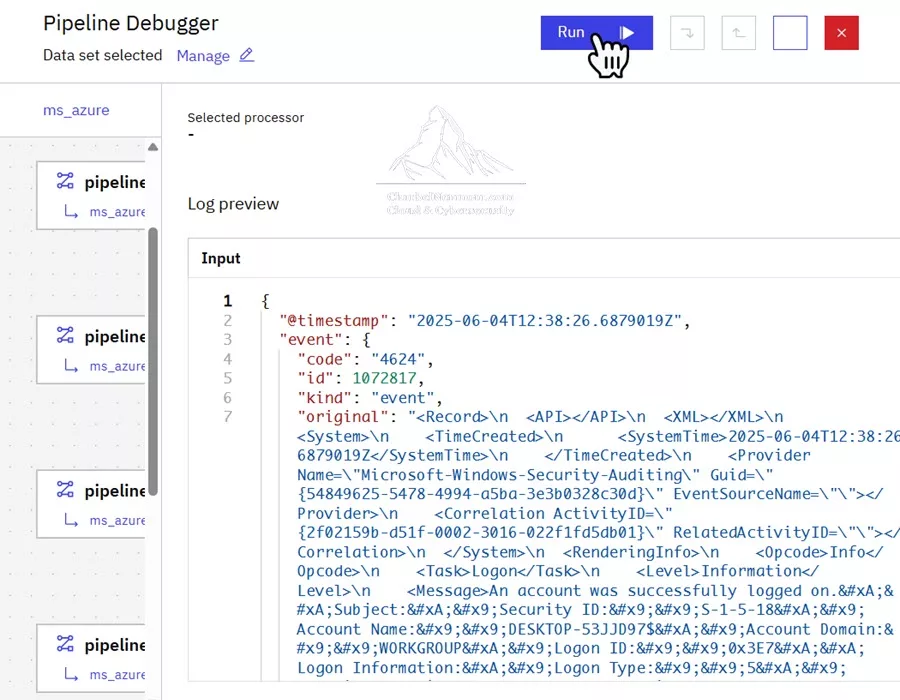
This capability is extremely useful for security engineers and architects who need to validate pipeline behavior before applying changes to a live environment.
With the debugger, you can see how each processor behaves, whether it executed successfully, failed, or was skipped. This makes pipeline troubleshooting much more transparent and efficient.
7. Troubleshooting and Health Monitoring
The training also covered troubleshooting and health monitoring capabilities.
This included checking whether data is flowing through the Director, reviewing log stream information, capturing internal Director logs, viewing live collected data, and using the Stats page to understand data collection, processing, target delivery, and performance metrics.
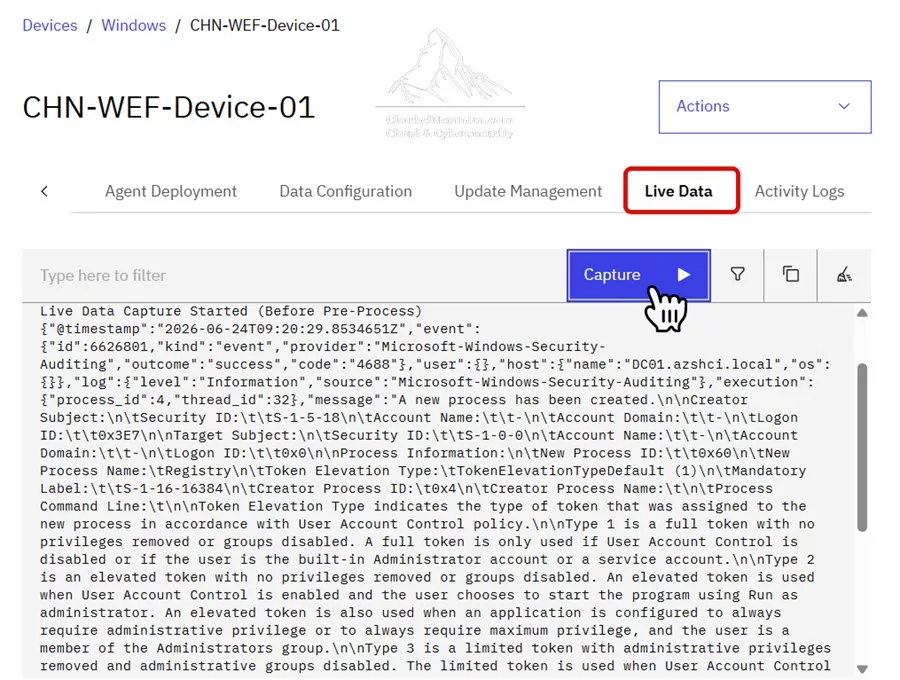
For security data pipelines, visibility is essential. It is not enough to configure a route once and assume the pipeline is working. You need to confirm that data is being collected, processed, transformed, and delivered successfully.
The ability to inspect logs, capture live data, and review statistics helps ensure that the pipeline remains healthy and operational.
8. Validating the Output in Microsoft Sentinel
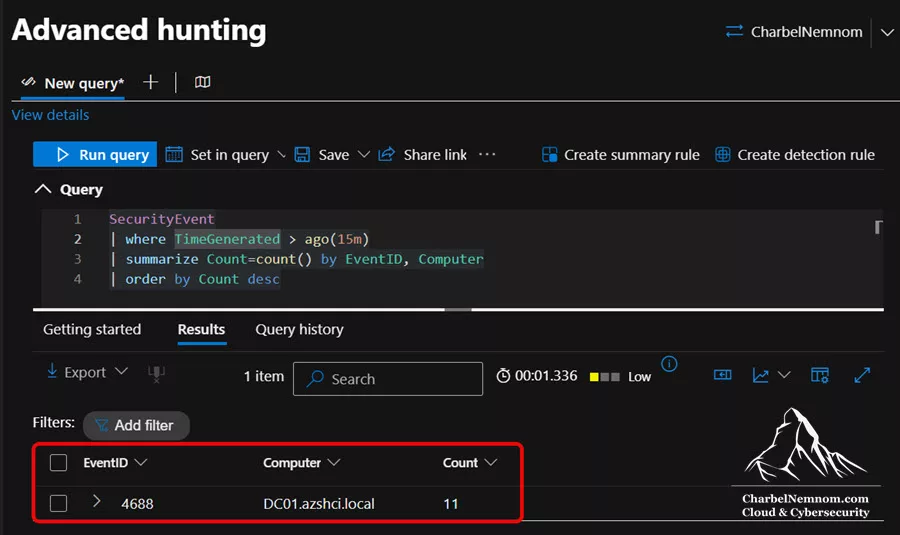
The final part of the training focused on validating the output in a Microsoft Sentinel workspace and Advanced hunting.
This is one of the most important steps in any data pipeline deployment. After collecting, processing, and routing telemetry, you must confirm that the data lands in the expected Sentinel tables and that the normalized output is usable.
The training included validation scenarios for Windows Security Events and Fortinet FortiGate logs.
For Windows Security Events, the expected destination tables included:
- SecurityEvent
- ASimAuthenticationEventLogs
For Fortinet FortiGate logs, the expected destination tables included:
- ASimNetworkSessionLogs
- ASimWebSessionLogs
The training also included KQL queries to report on billable ingestion, total data volume, estimated cost, and daily burn rate.
This is especially important when evaluating the value of DataStream in proof-of-concept scenarios and comparing traditional ingestion methods against an optimized pipeline-based approach.
For more guidance on Microsoft Sentinel ingestion, pricing, and cost governance, check out the following definitive guide:
Key Takeaways
Completing the DataStream Basic Training program reinforced several important points.
First, a modern SIEM architecture benefits from a dedicated telemetry pipeline. Sending every raw log directly into Microsoft Sentinel is not always efficient, scalable, or cost-effective.
Second, normalization matters. When data is aligned to common schemas such as ASIM, security teams can improve detection logic, investigation workflows, and cross-source correlation.
Third, routing flexibility is critical. Not all logs have the same value, retention requirement, or destination. A strong pipeline architecture allows organizations to route data based on business, security, compliance, and cost requirements.
Fourth, validation and troubleshooting must be part of the deployment process. Tools like the Pipeline Debugger, live data capture, console logs, and Sentinel output validation help ensure that the data pipeline is working as expected.
Finally, hands-on training is essential. Reading about a security data pipeline is one thing. Installing the components, configuring sources and targets, applying pipelines, creating routes, debugging processors, and validating the final output provides a much deeper understanding.
Why This Certification Is Valuable
This certificate represents more than completing a training program. It validates practical proficiency in deploying and activating a security data pipeline with VirtualMetric DataStream.
For me, this aligns directly with my work around Microsoft Sentinel, Microsoft Security, cloud security architecture, and cost optimization. Data ingestion strategy is becoming increasingly important for organizations that want to get the most value from Microsoft Sentinel without unnecessary noise or uncontrolled ingestion costs.
VirtualMetric DataStream provides a practical approach to solving these challenges by introducing a dedicated processing layer for security telemetry.
With this training completed, I can independently deploy the solution, configure the key components, connect data sources, route data to Microsoft Sentinel, apply normalization pipelines, troubleshoot processing logic, and validate the output using KQL.
In Conclusion
I’m excited to have completed the VirtualMetric DataStream Training program and earned the official Certificate of Completion. The training provided a strong balance between architecture, deployment, configuration, routing, pipeline processing, troubleshooting, and validation. It also reinforced the importance of security data pipelines in modern Microsoft Sentinel deployments and AI-driven security workflows.
As security telemetry continues to grow, organizations need better ways to collect, process, normalize, enrich, and route data before it reaches the SIEM. VirtualMetric DataStream provides that missing pipeline layer and helps security teams improve visibility, reduce noise, optimize costs, and operationalize clean data for detection and investigation.
I would also like to extend a special thank you to Yusuf Ozturk and Mark Arts for creating this excellent training program. The content was practical, well-structured, and hands-on, covering the key concepts and deployment workflows required to understand and operate VirtualMetric DataStream effectively in real-world Microsoft Sentinel scenarios.
I look forward to continuing my journey with VirtualMetric DataStream and sharing more real-world guidance, deployment scenarios, and lessons learned around Microsoft Sentinel optimization.
Remember, you can always support us in developing tools and creating content via Why Contribute? – Charbelnemnom.com Cloud & Cybersecurity
__
Thank you for reading our blog.
Please let us know in the comments section below if you have any questions or feedback.
-Charbel Nemnom-
